Adding Company Locations & Warehouses
In this article
Company locations are your shop's addresses. An ordinary location serves as a mailing or billing address, while a warehouse holds stock and fulfills orders. You can choose a warehouse for your shop, a specific customer, or an individual order. To track storage shelves or bins inside a warehouse, use Configuration > Product Locations instead.
Your plan controls how many warehouses you can use. If Set as Warehouse is unavailable because you've reached your limit, review your options in Configuration > Billing > Change Plan. See Managing YoPrint Subscription for changing your plan and reviewing the charges.
Add a company location
-
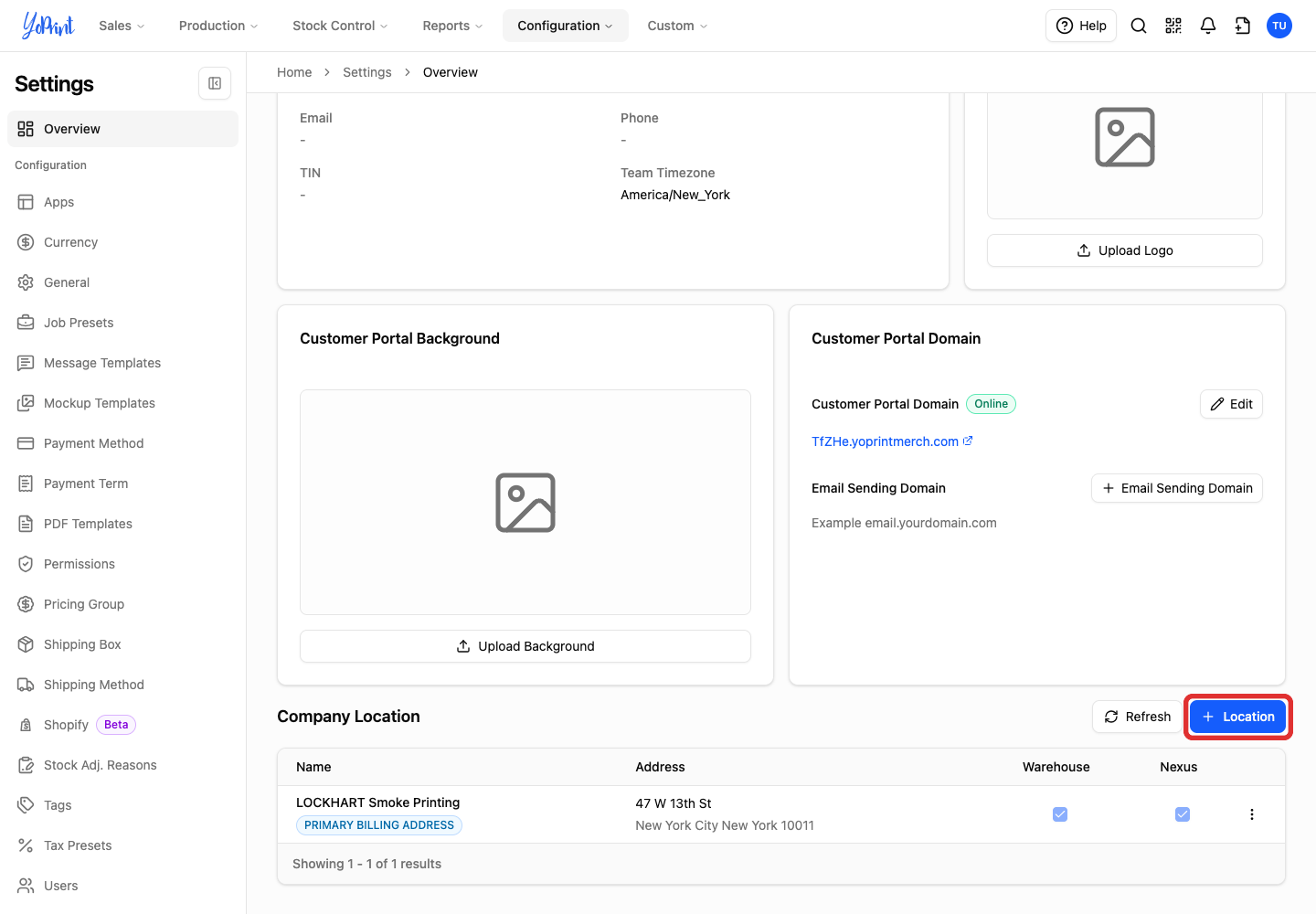
On your dashboard, click Settings (or go to Configuration > Settings > Overview), then click + Location under Company Location.
-
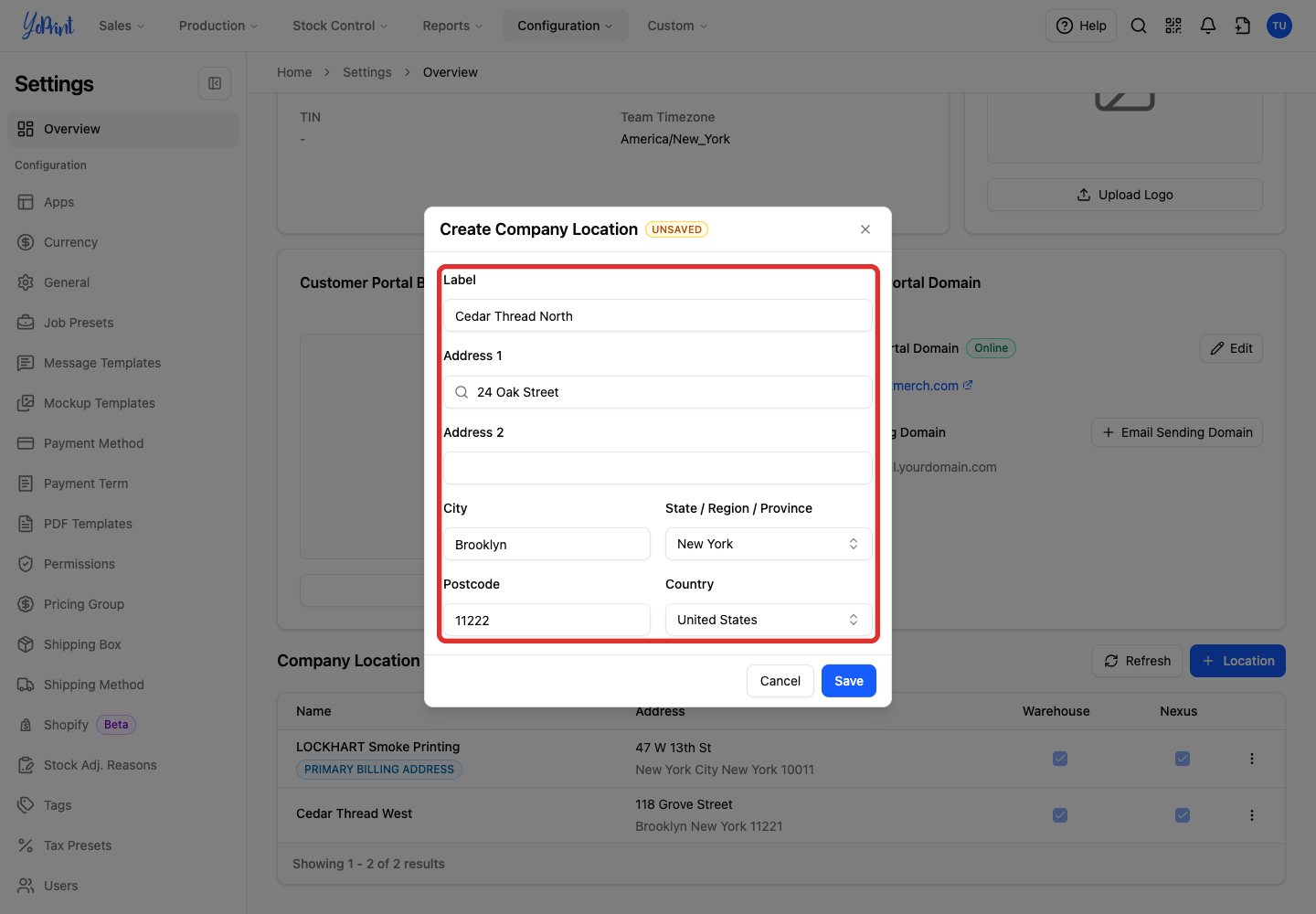
Enter a Label you will recognize, such as your shop or warehouse name, and fill in the address fields.
-
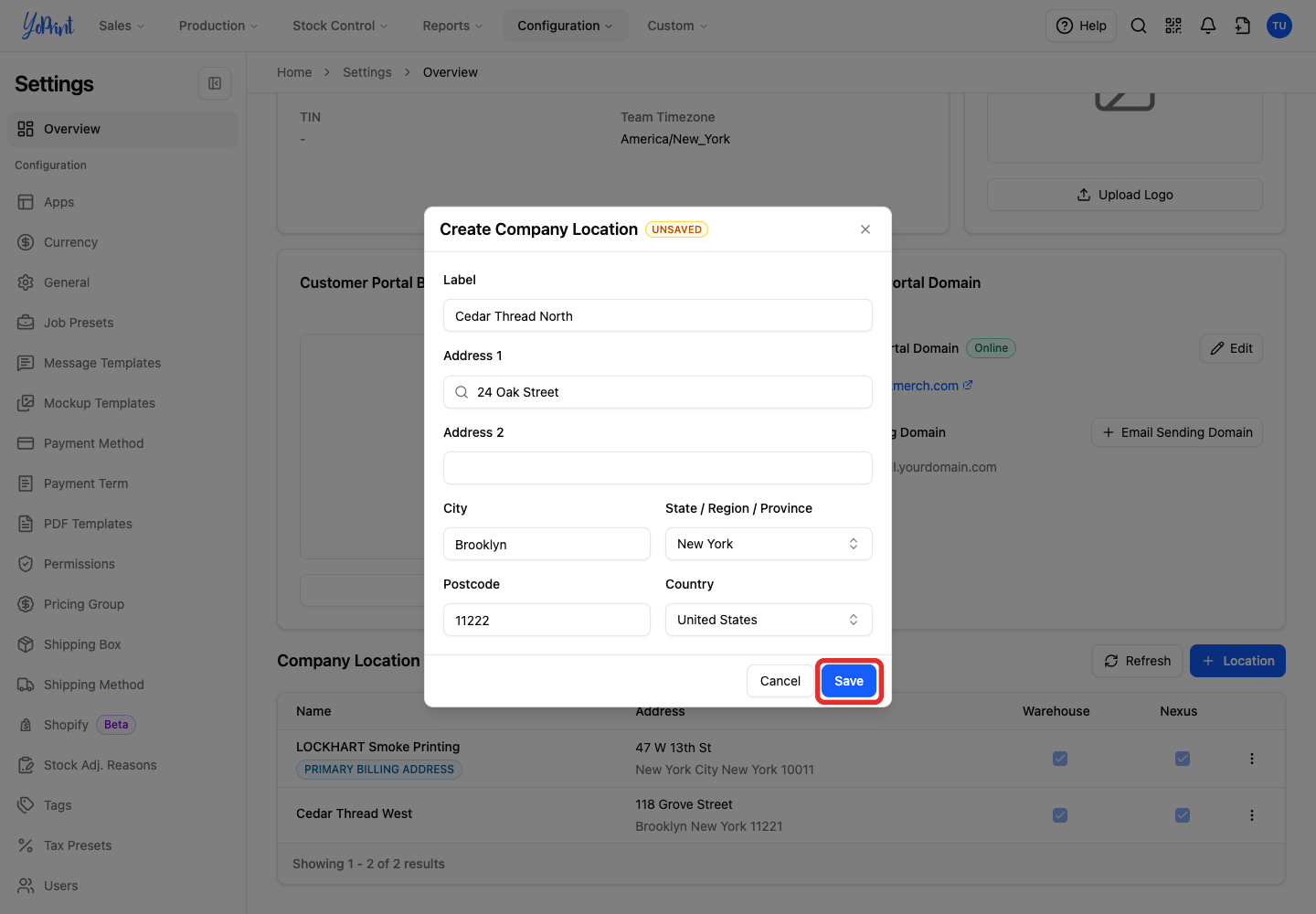
Click Save. The location appears in the list. The Nexus column enables automatic sales tax calculations for that location.
Set a location as a warehouse
This choice is permanent
Once you set a location as a warehouse, you cannot turn it back into an ordinary company location because inventory, orders, and shipments attach to it. You can still edit its address.
-
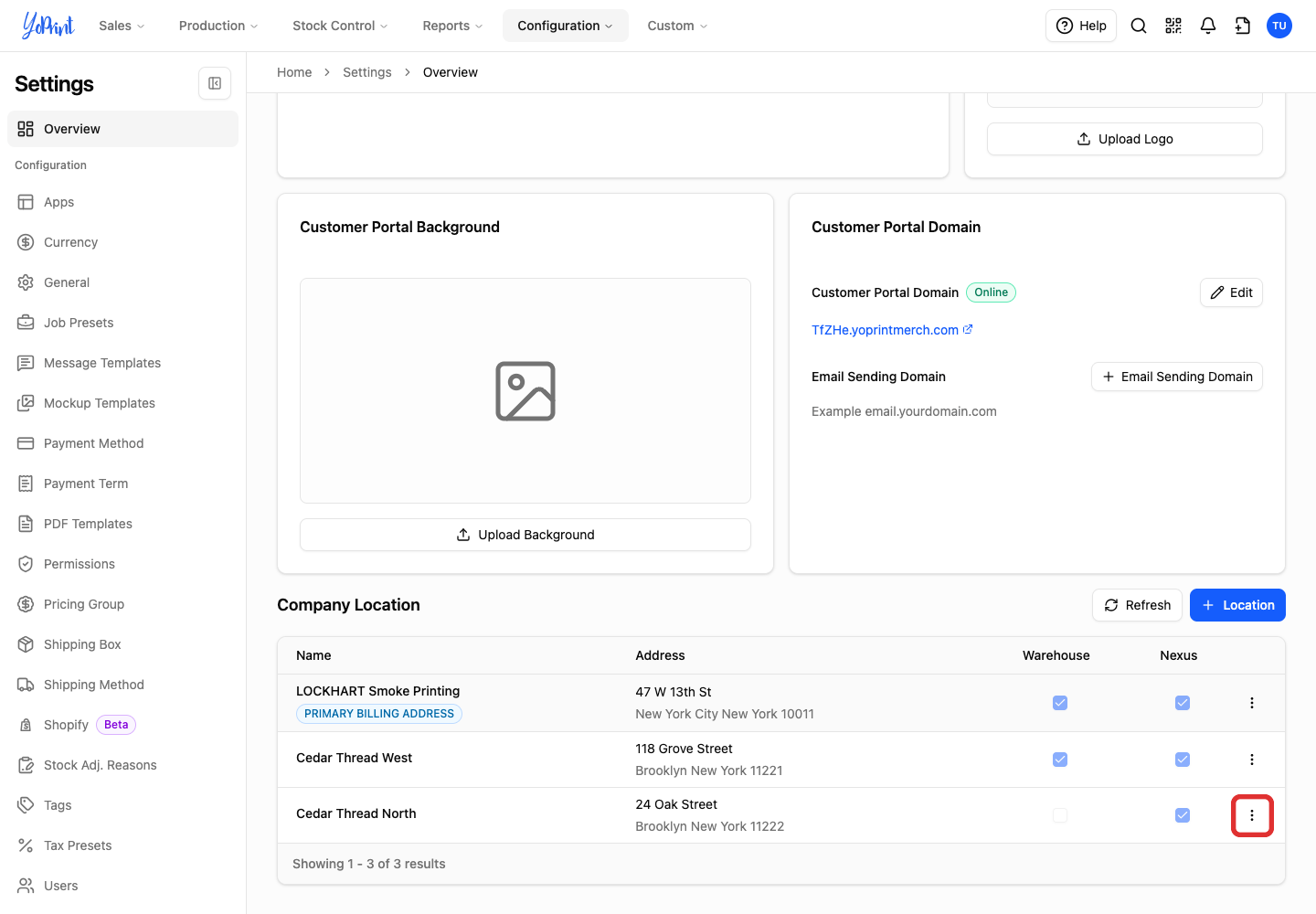
Click the location's More actions menu (three dots).
-
Choose Set as Warehouse.
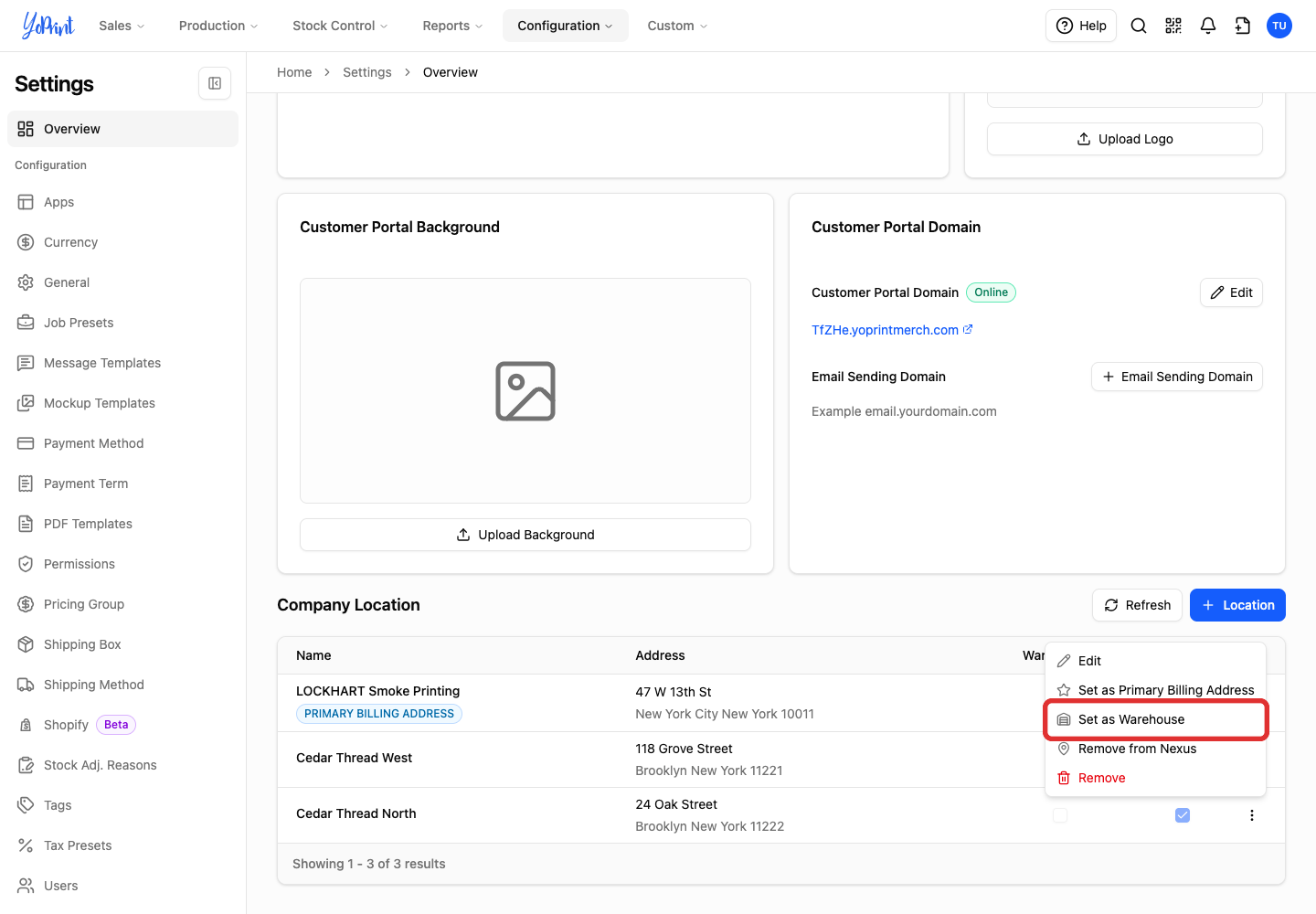
-
Check the location name, then click Set Permanently.
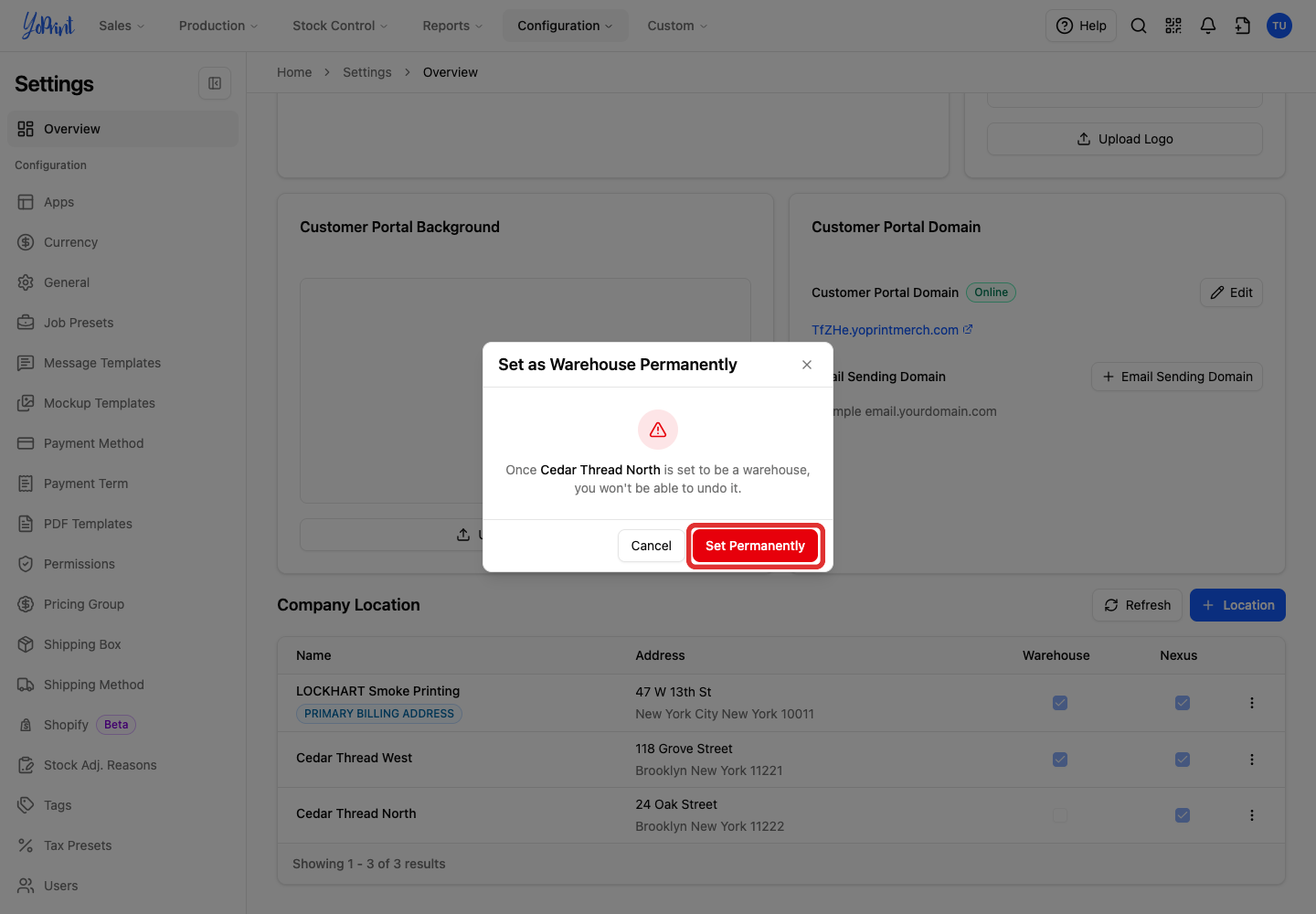
The Warehouse column now shows a check mark for the location.
Choose your shop's default warehouse
The default warehouse is the starting choice for new quotes and sales orders. A customer's own default warehouse takes priority.
-
Open the warehouse's More actions menu.
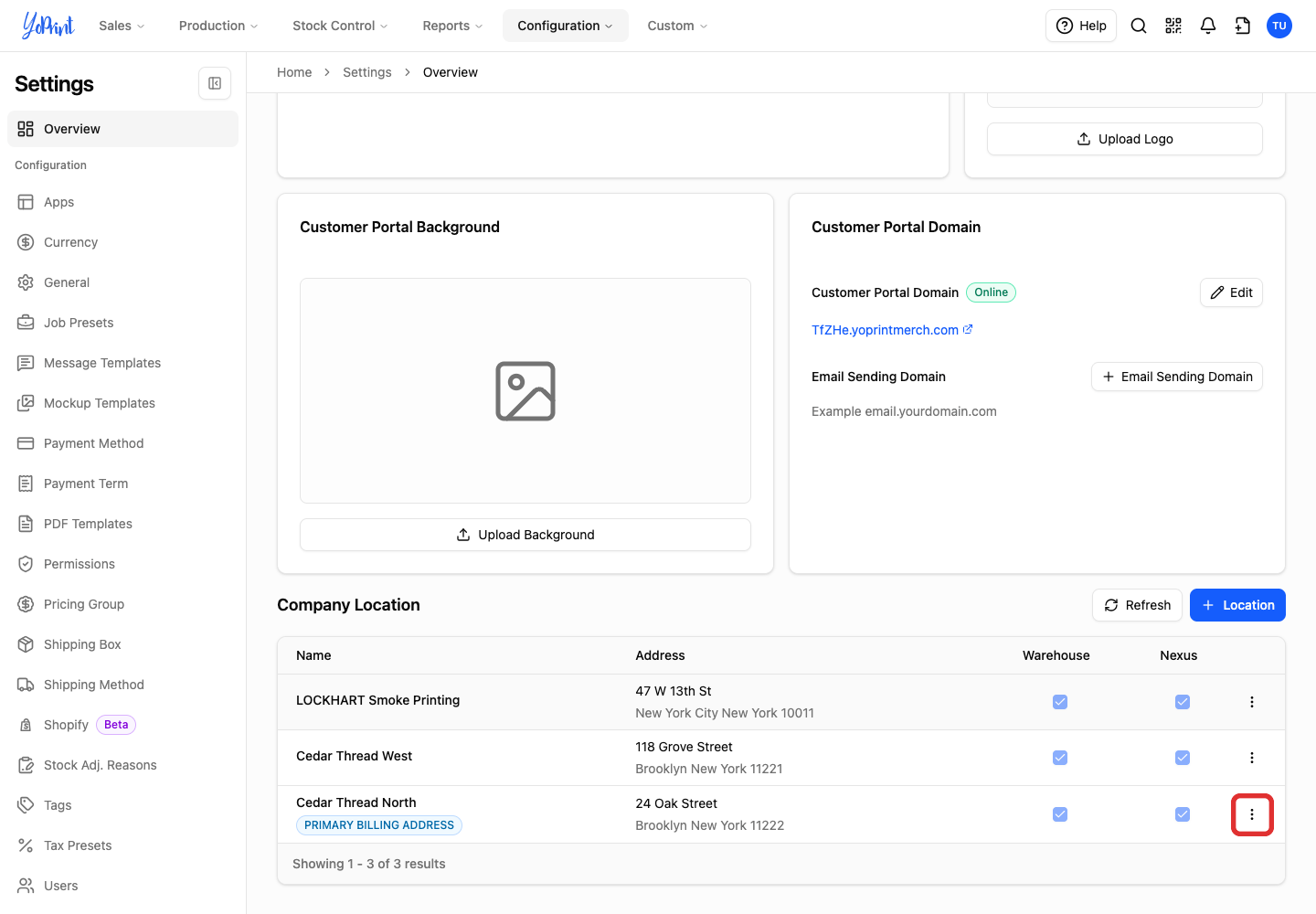
-
Choose Set as Default Warehouse.
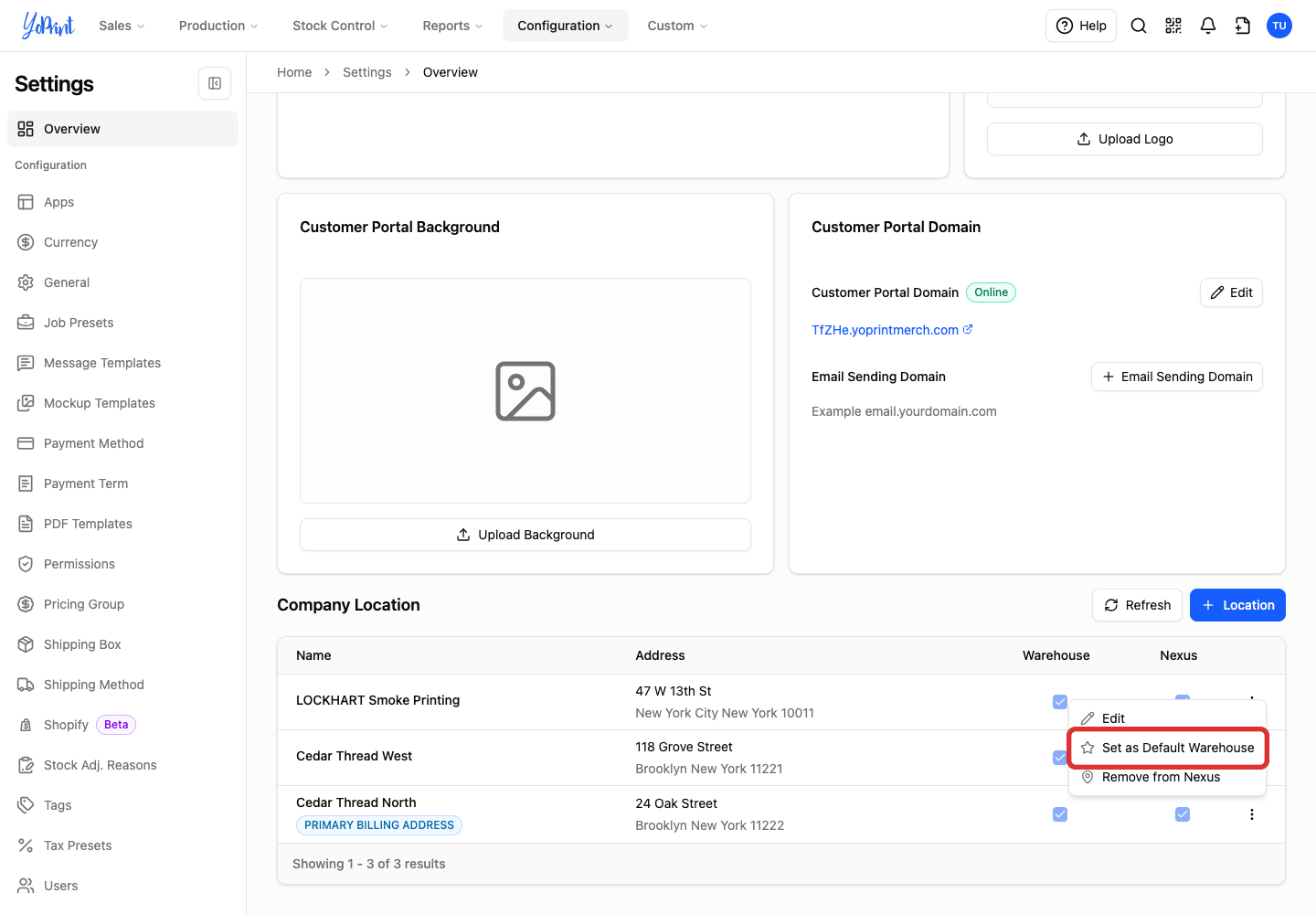
The Default Warehouse label appears beside its name. Primary Billing Address is a separate setting; a location can have both labels.
Update a location's address
You can edit the existing location when you move, without creating a replacement warehouse.
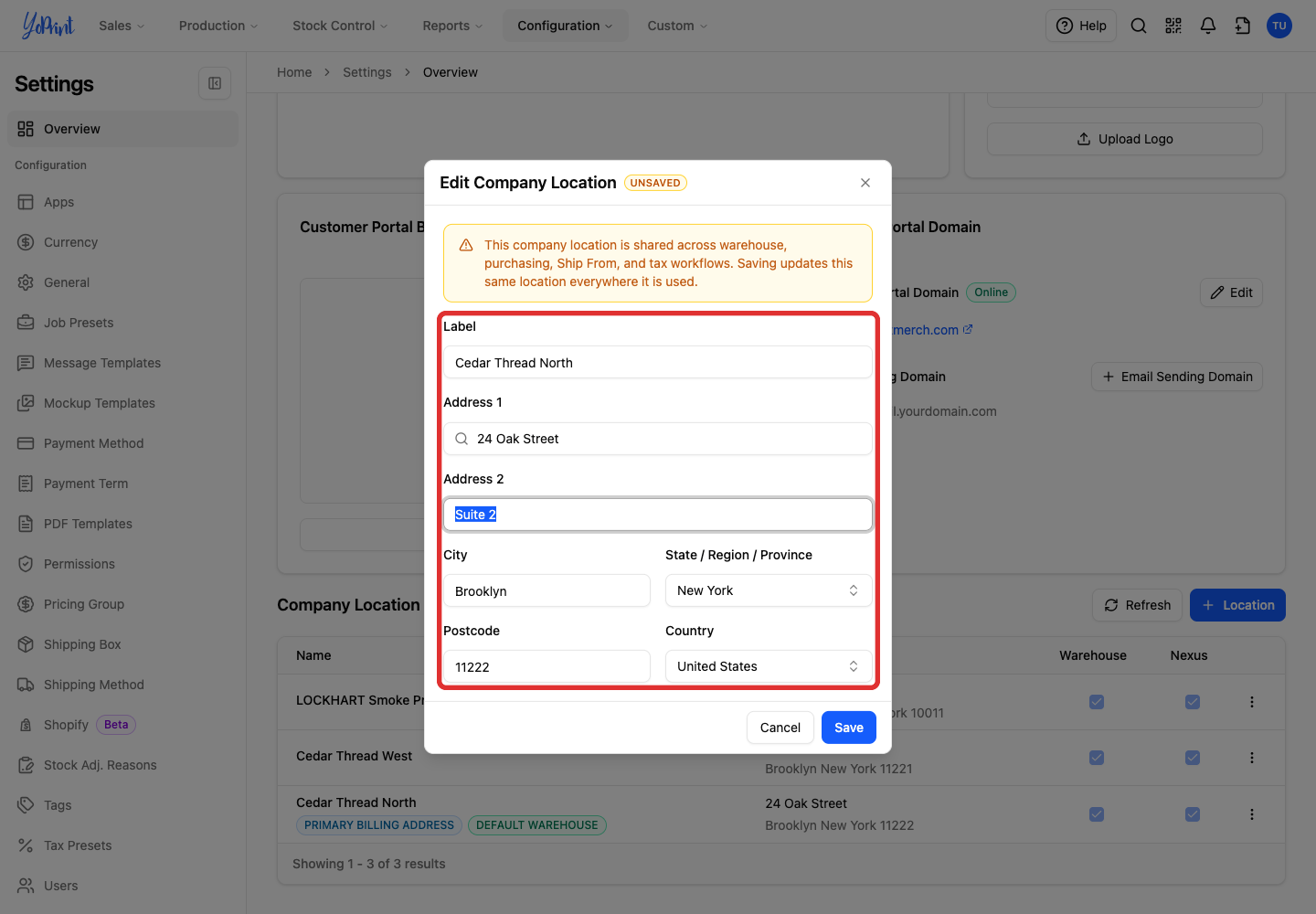
Company locations are shared across warehouse, purchasing, Ship From, and tax workflows. Saving an address change updates that location for future documents without changing past completed invoices and orders.
-
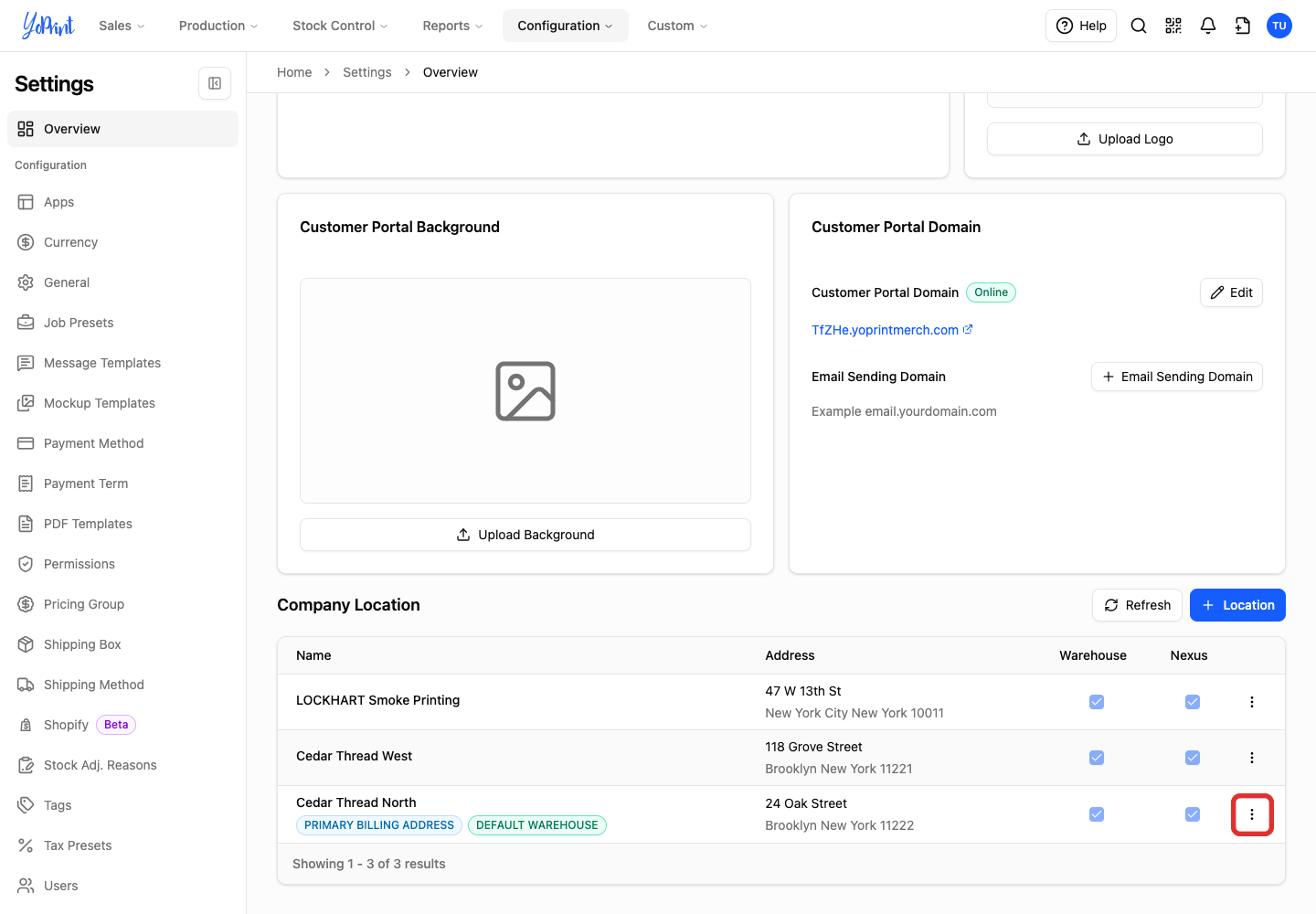
Open the location's More actions menu.
-
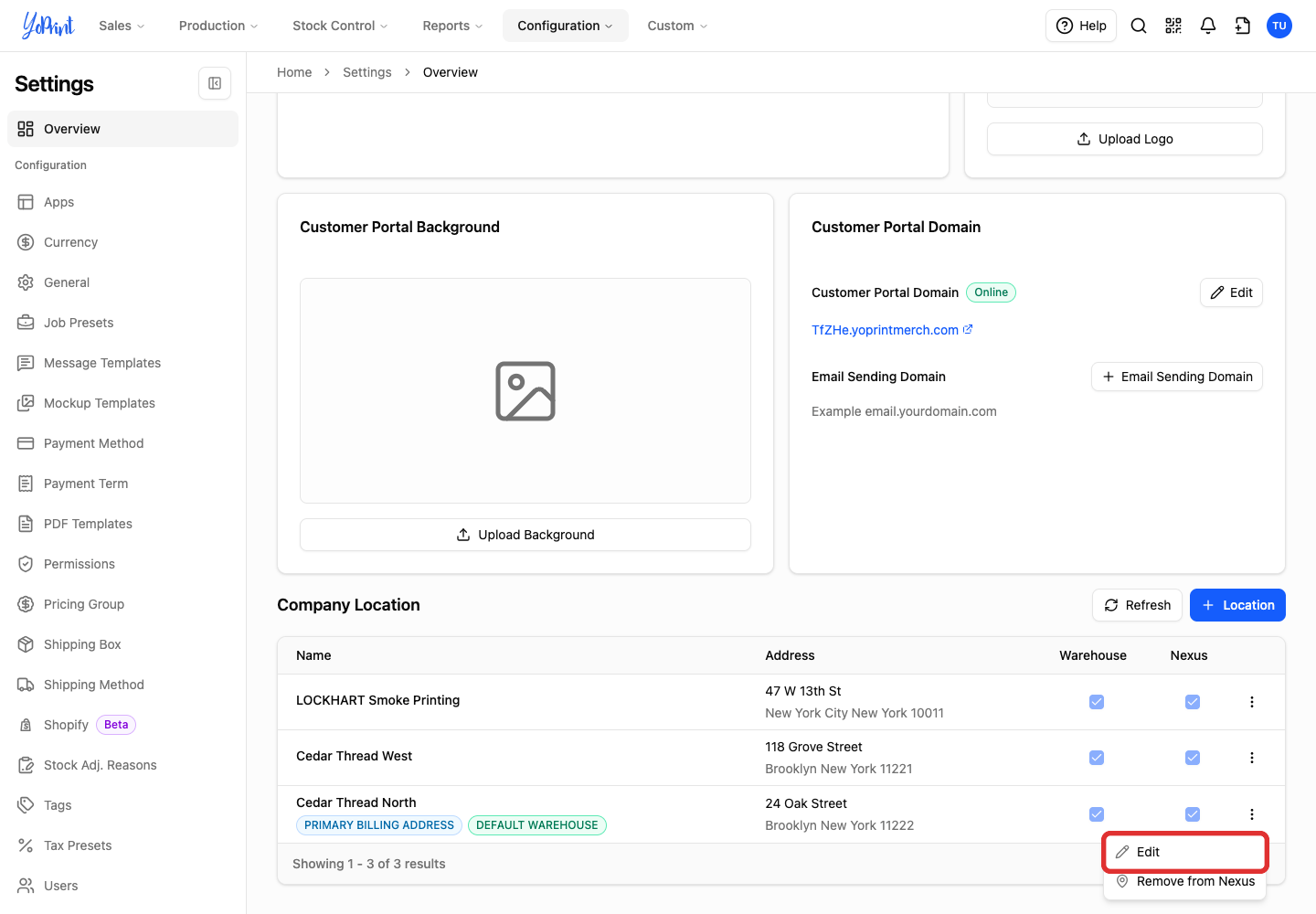
Choose Edit.
-
Update the label or address fields.
-
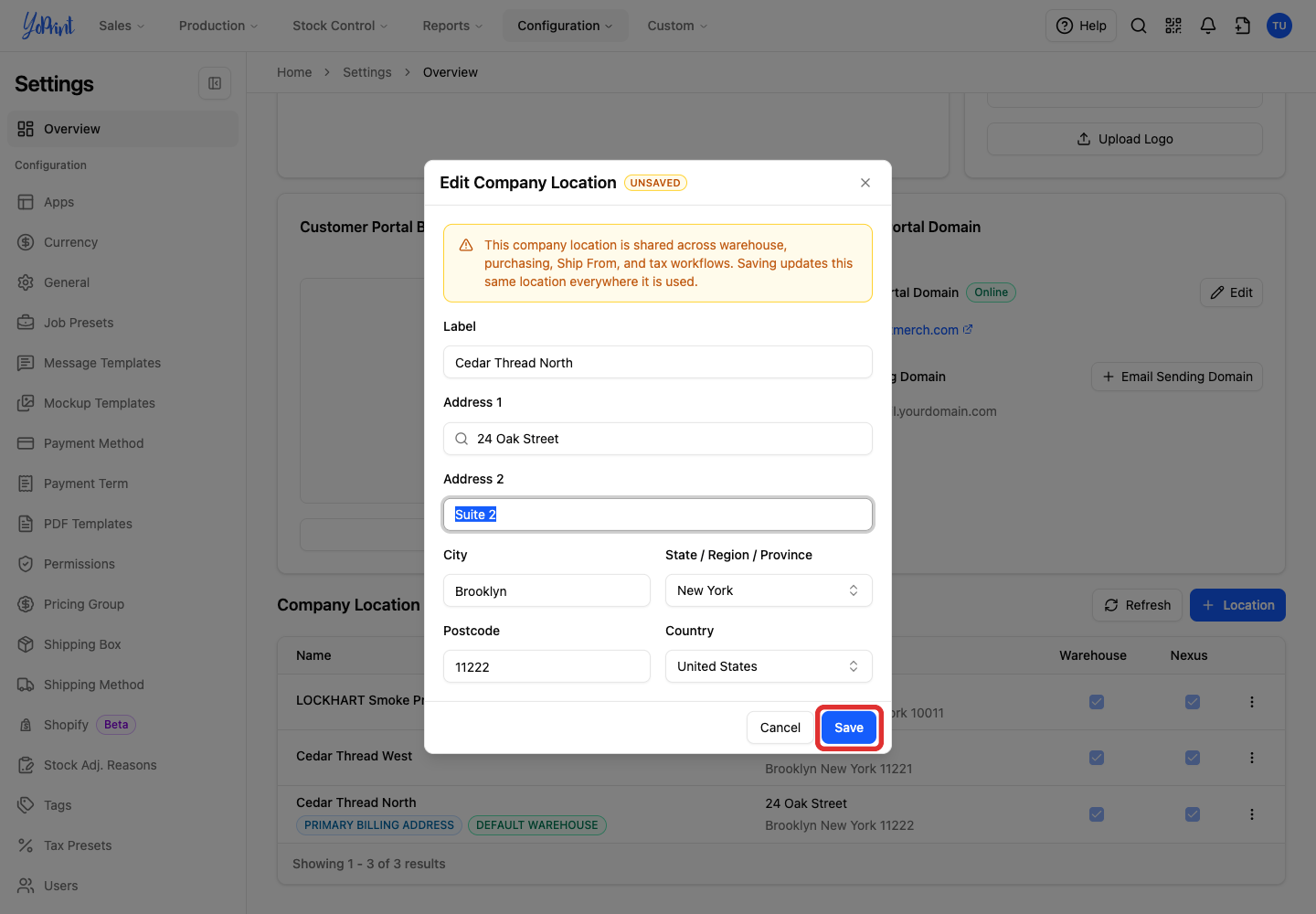
Click Save.
Set a default warehouse for a customer
-
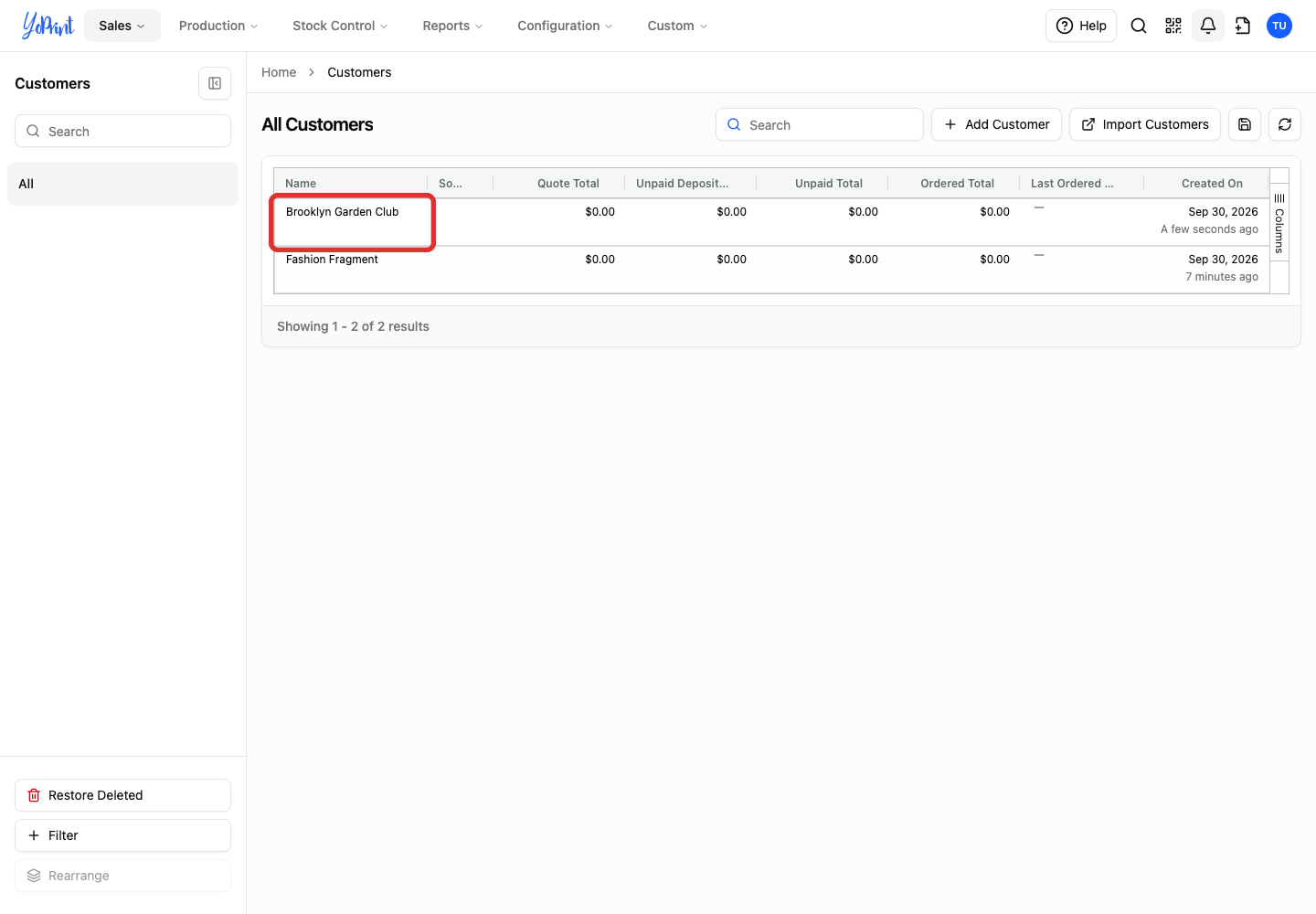
Go to Sales > Customers (or click Customers on your dashboard), then double-click the customer's name to open their details drawer.
-
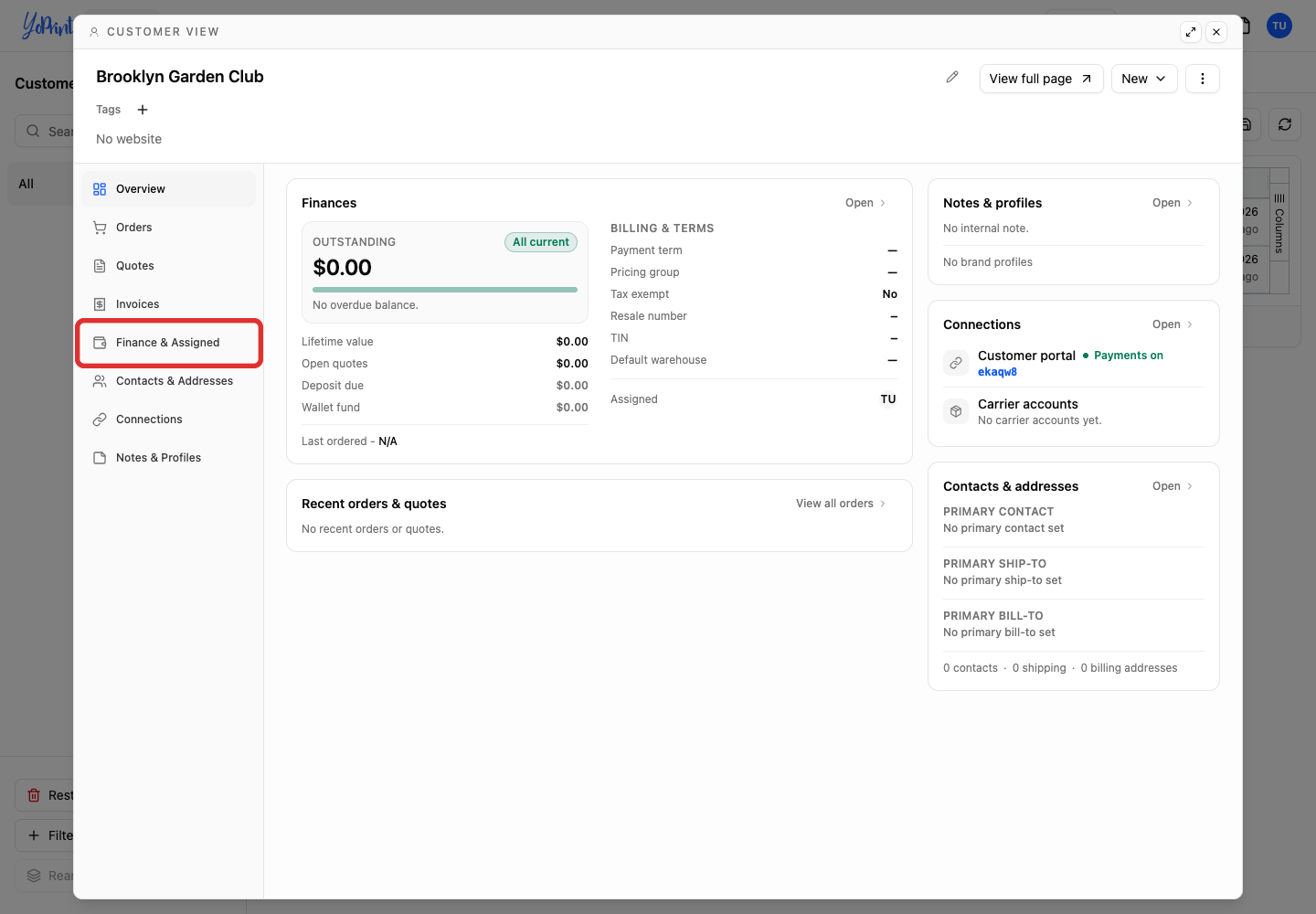
Select Finance & Assigned.
-
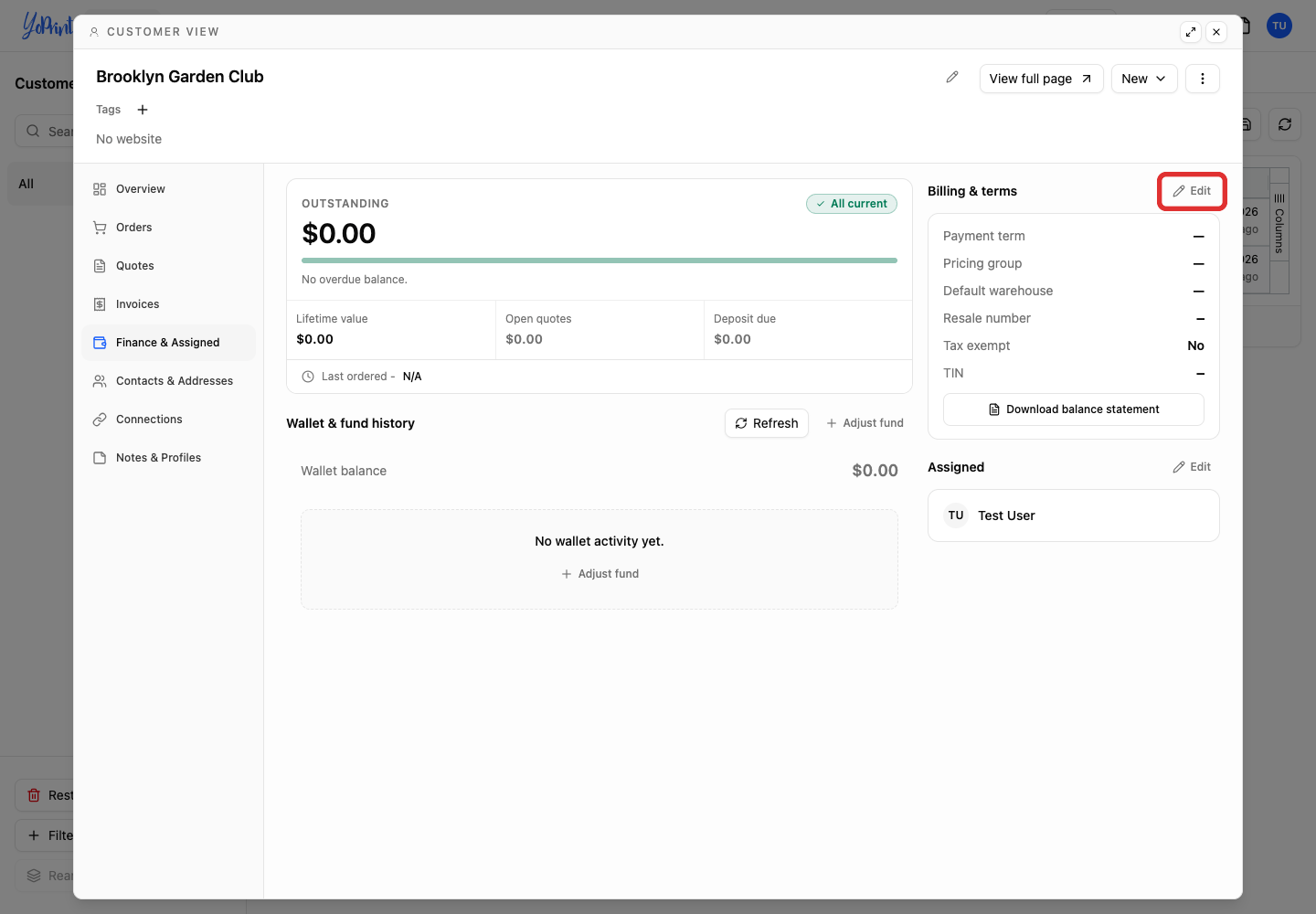
Click Edit beside Billing & terms.
-
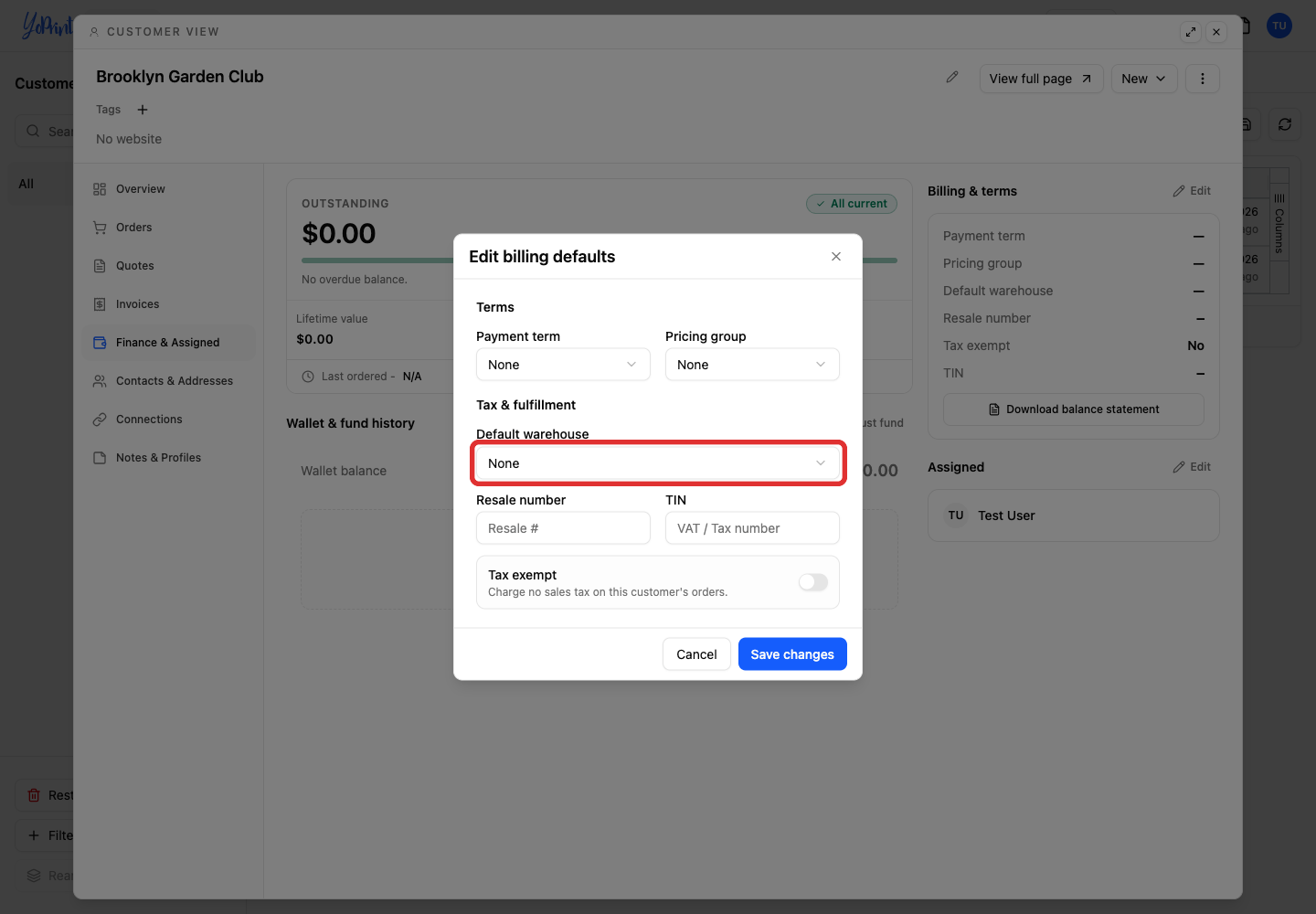
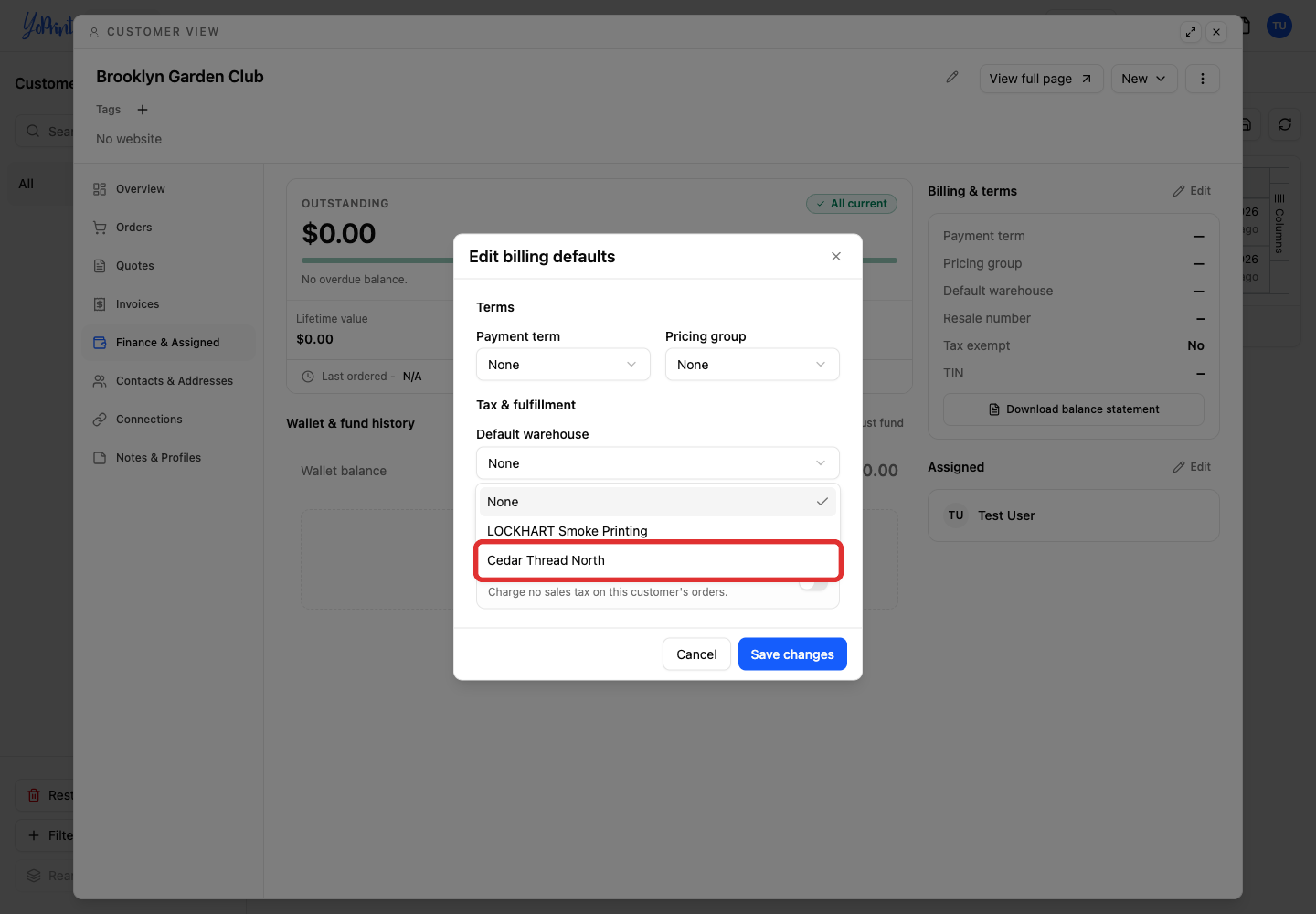
Open Default warehouse.
-
Select the warehouse. Choose None to use your shop's default instead.
-
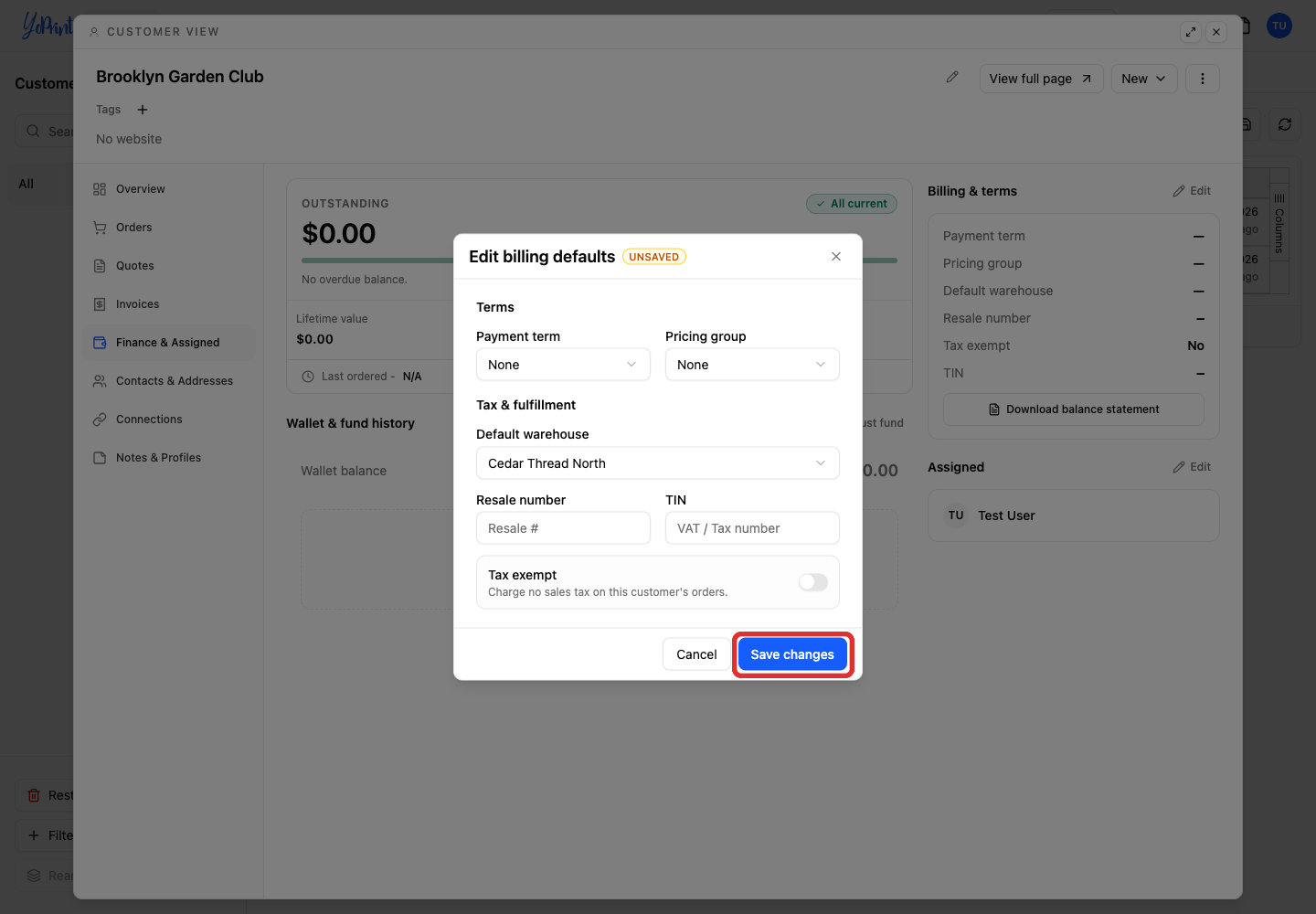
Click Save changes.
Change the warehouse on an order
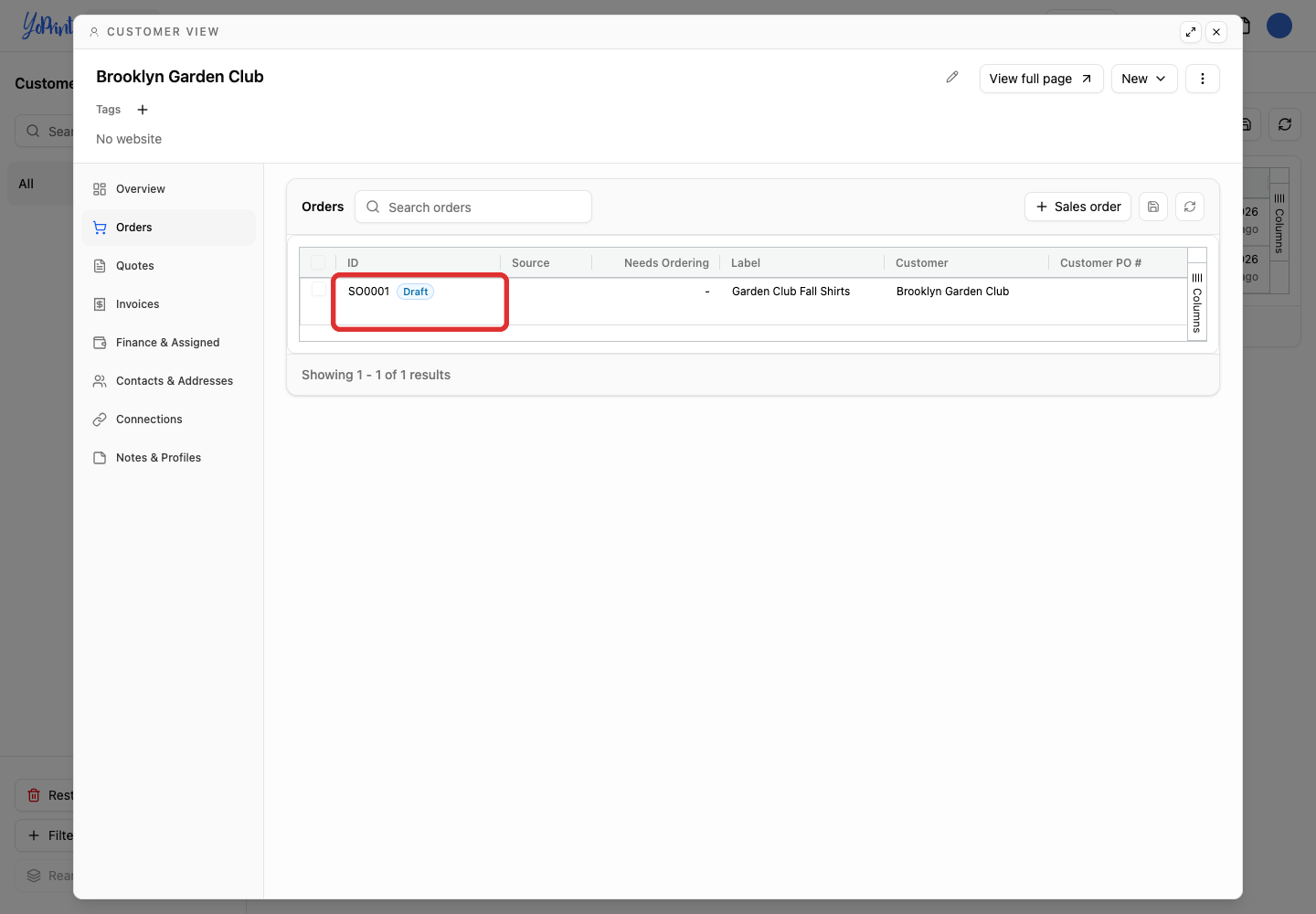
Draft sales orders appear in the customer's Orders tab until published. Check the warehouse before starting production. Once a job has been committed, you cannot change the order's warehouse.
-
In the customer's Orders tab, double-click the draft sales order to open it.
-
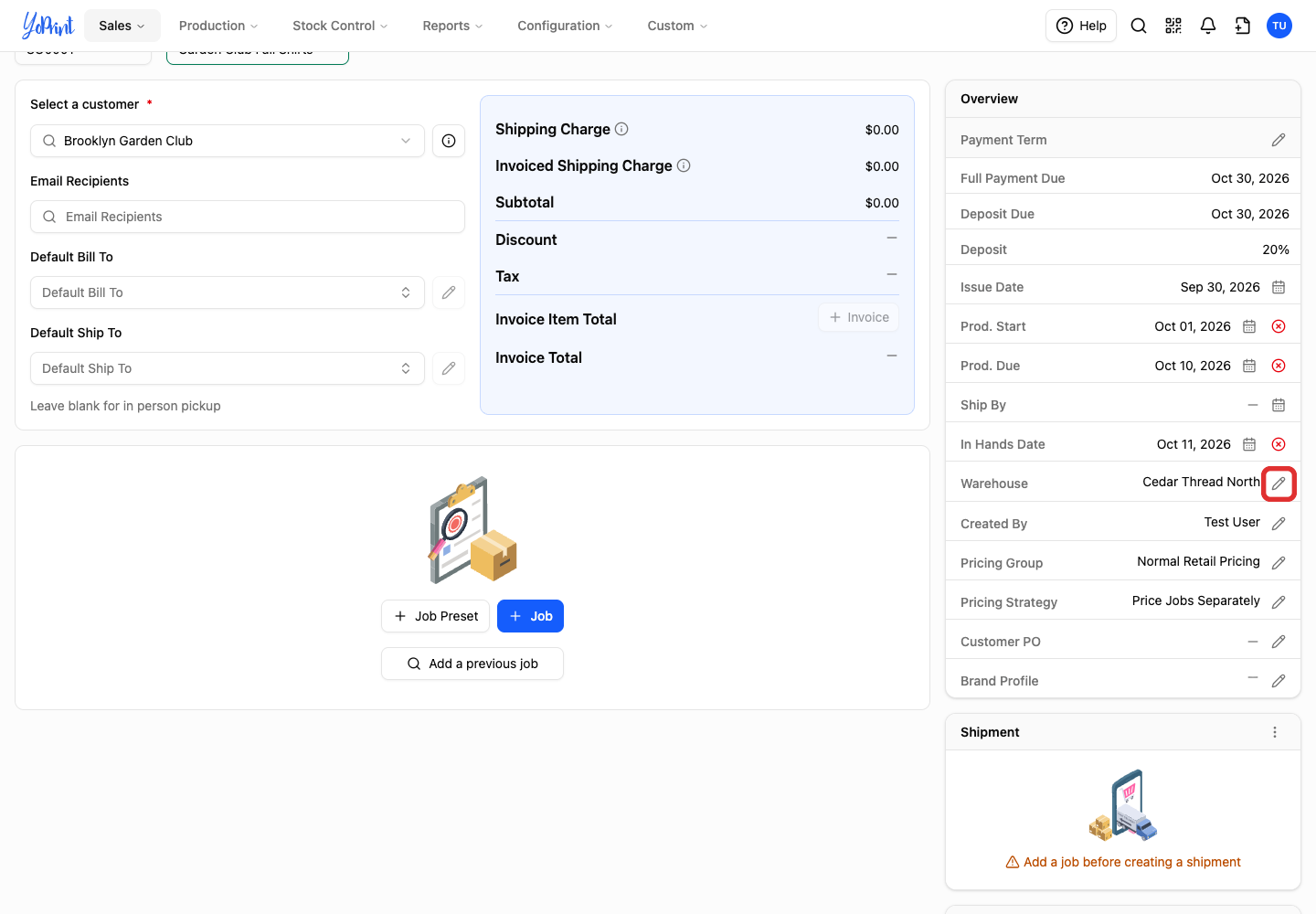
On the draft sales order, click the pencil beside Warehouse in Overview.
-
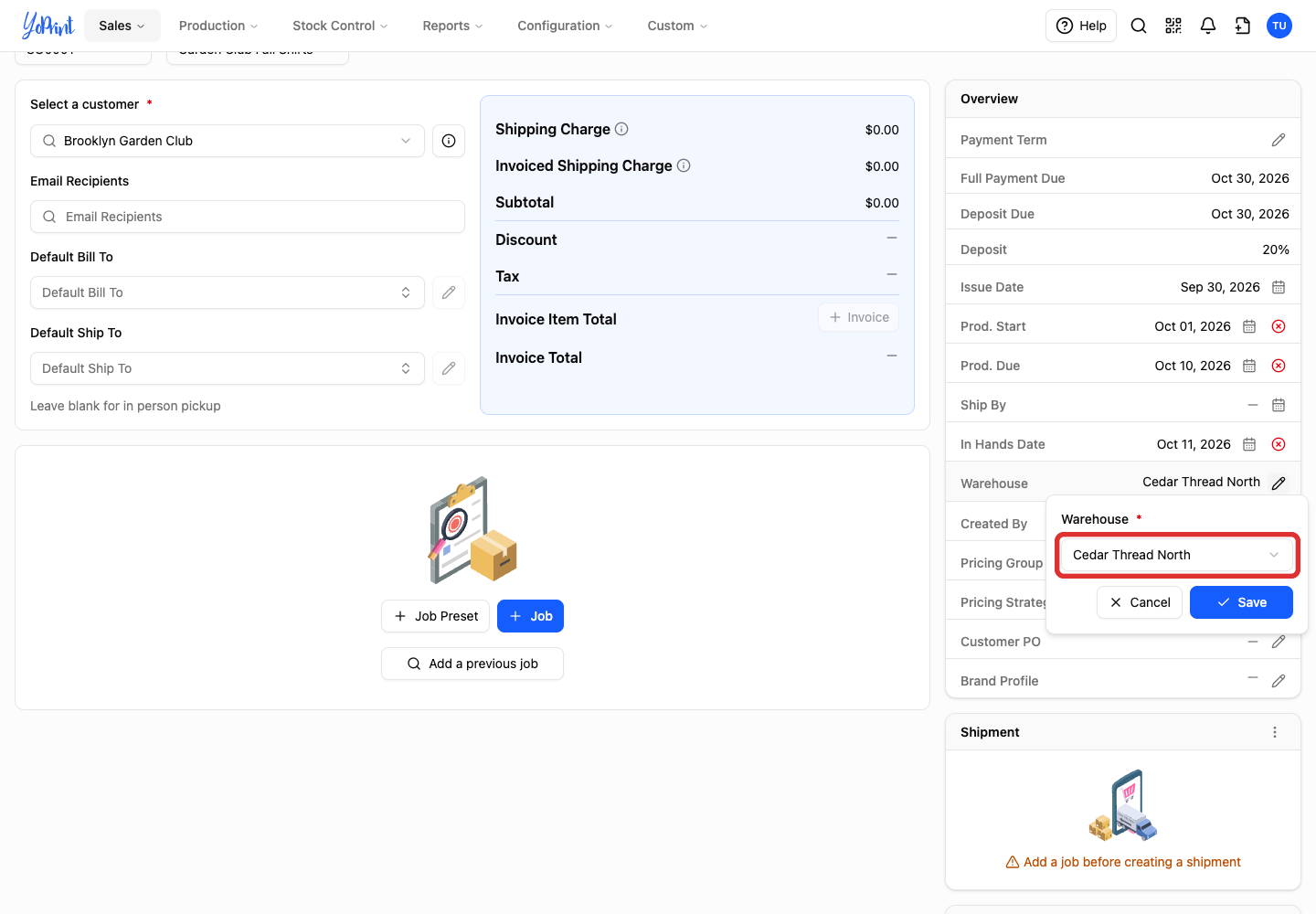
Open the Warehouse list.
-
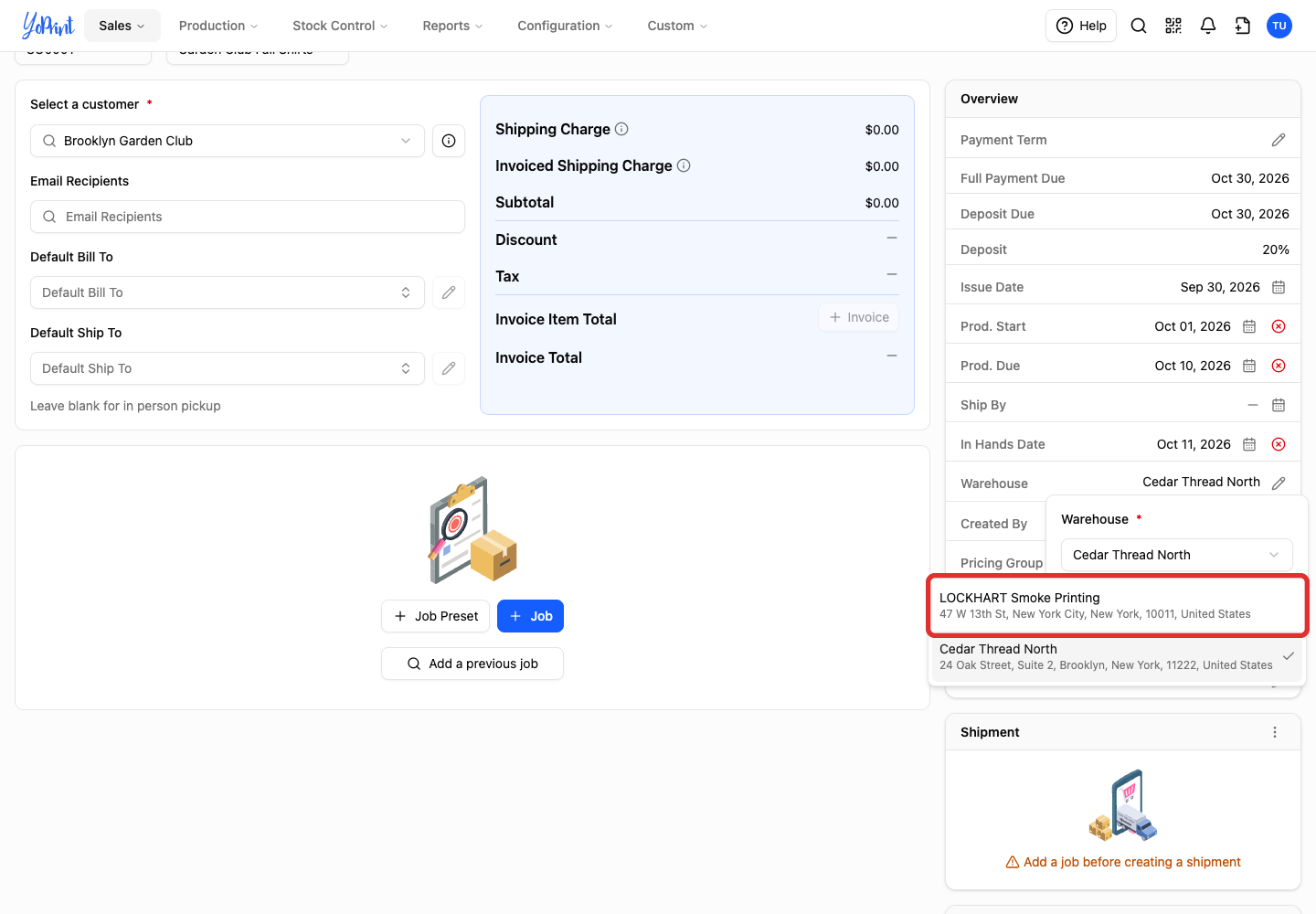
Select the warehouse to use for this order.
-
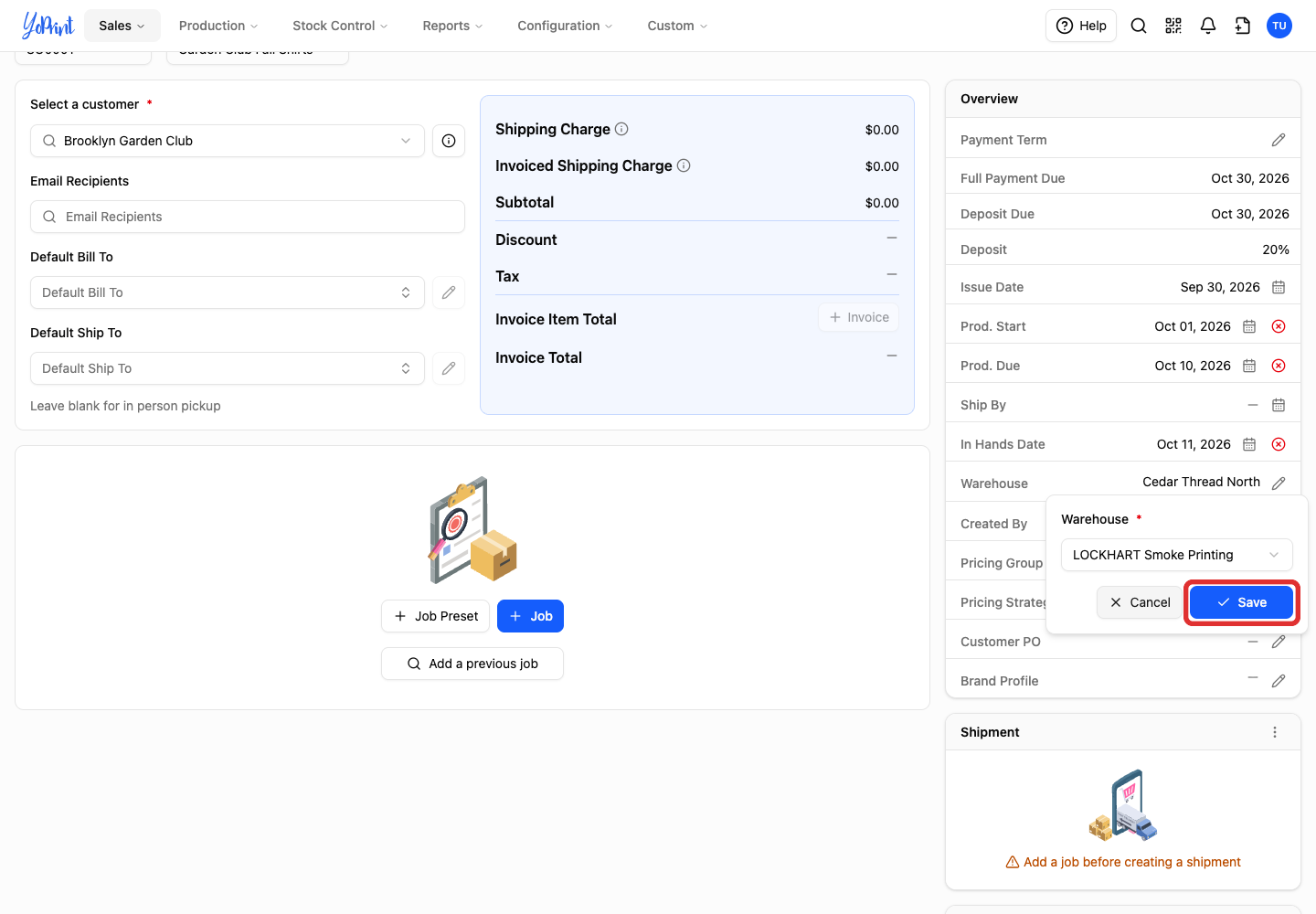
Click Save. The order's Warehouse field shows your selection.
Remove a location you no longer use
Check that you no longer need the location for existing work before removing it. The app lets you delete a warehouse even if it is assigned to customers or set as your default warehouse, so reassign those defaults first. If it is your primary billing address, set another location as the primary billing address first; the primary address has no Remove option.
-
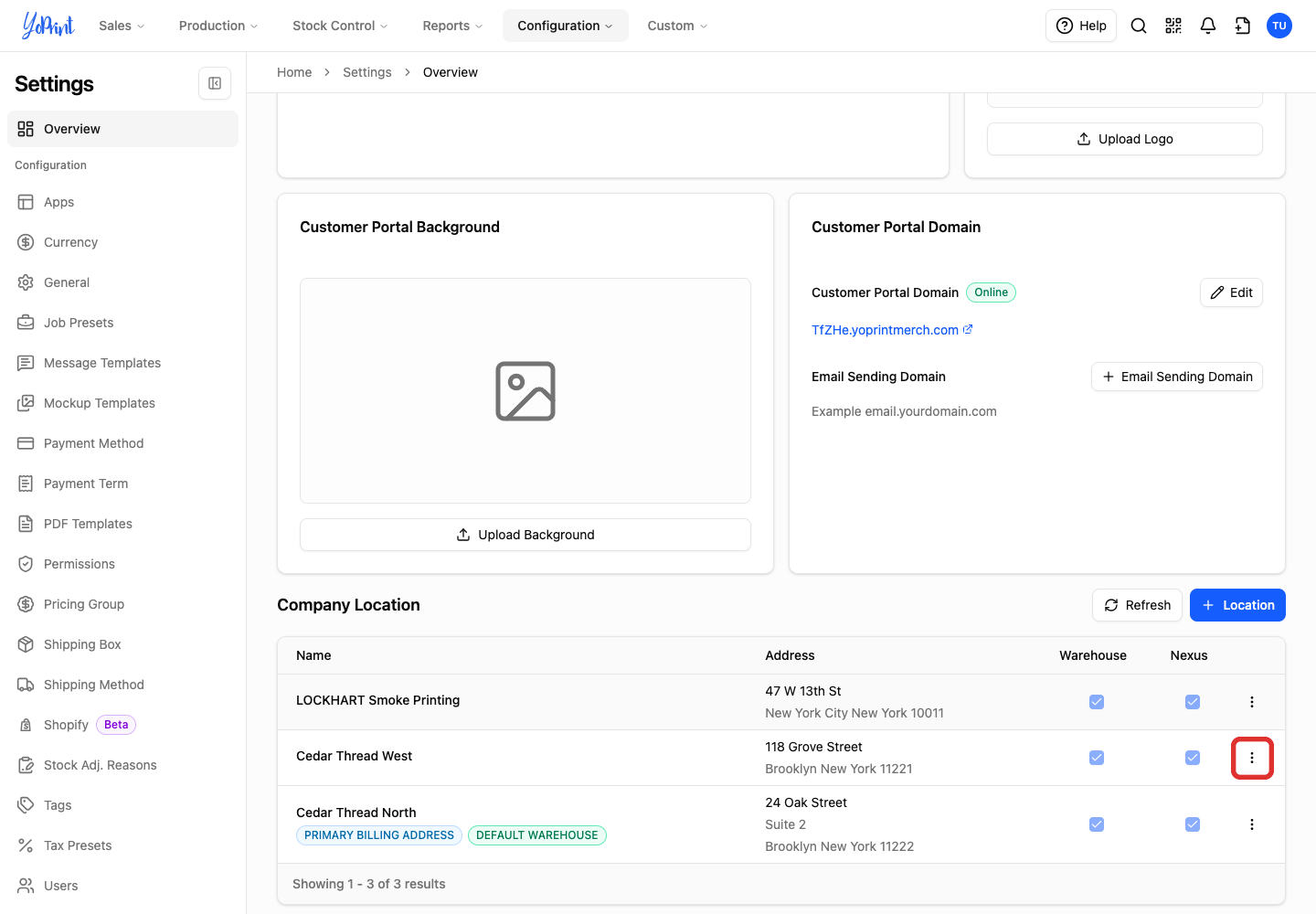
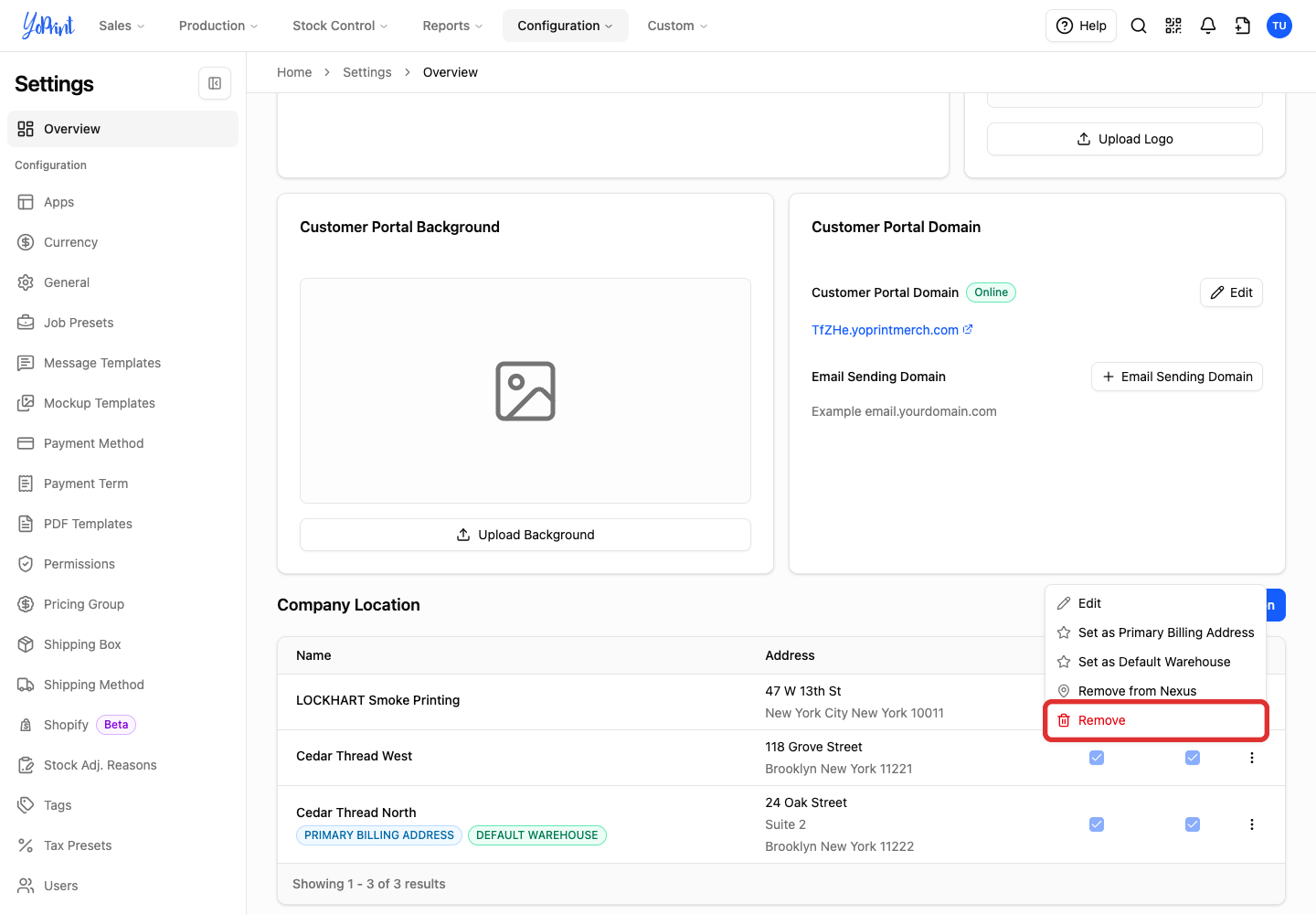
Return to Configuration > Settings > Overview, then open More actions (three dots) for the location you no longer need.
-
Choose Remove.
-
Check the location name, then click Remove to confirm permanent removal.
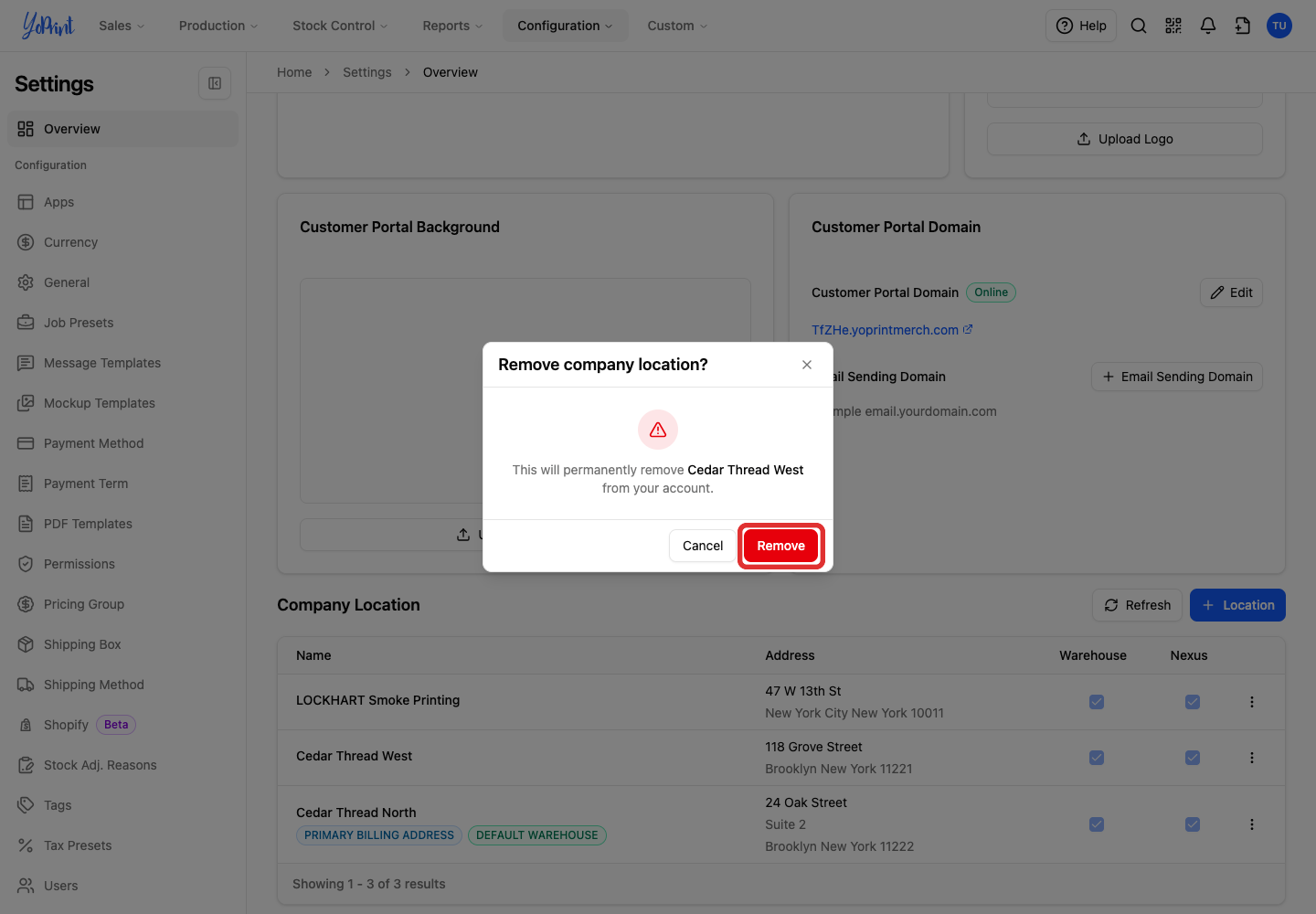
Removing a warehouse does not change your subscription. If you also need to reduce paid warehouse capacity, review your plan separately in Configuration > Billing. See Managing YoPrint Subscription.