Add Customer-Supplied Products
In this article
When a customer brings products for you to print or decorate, add them as customer-supplied products in the quote or sales order. YoPrint sets their product price to $0 and still applies the job's service pricing. Customer-supplied products are entered per order rather than saved to a reusable catalog.
Customer-supplied products do not use your shop's inventory.
Add the customer's products
Open the quote or sales order for editing. On a saved quote, click View to open it, or edit line items through Live Edit. Use a job with the services you will perform on these products; the services provide the decoration pricing, while products without services total $0.
-
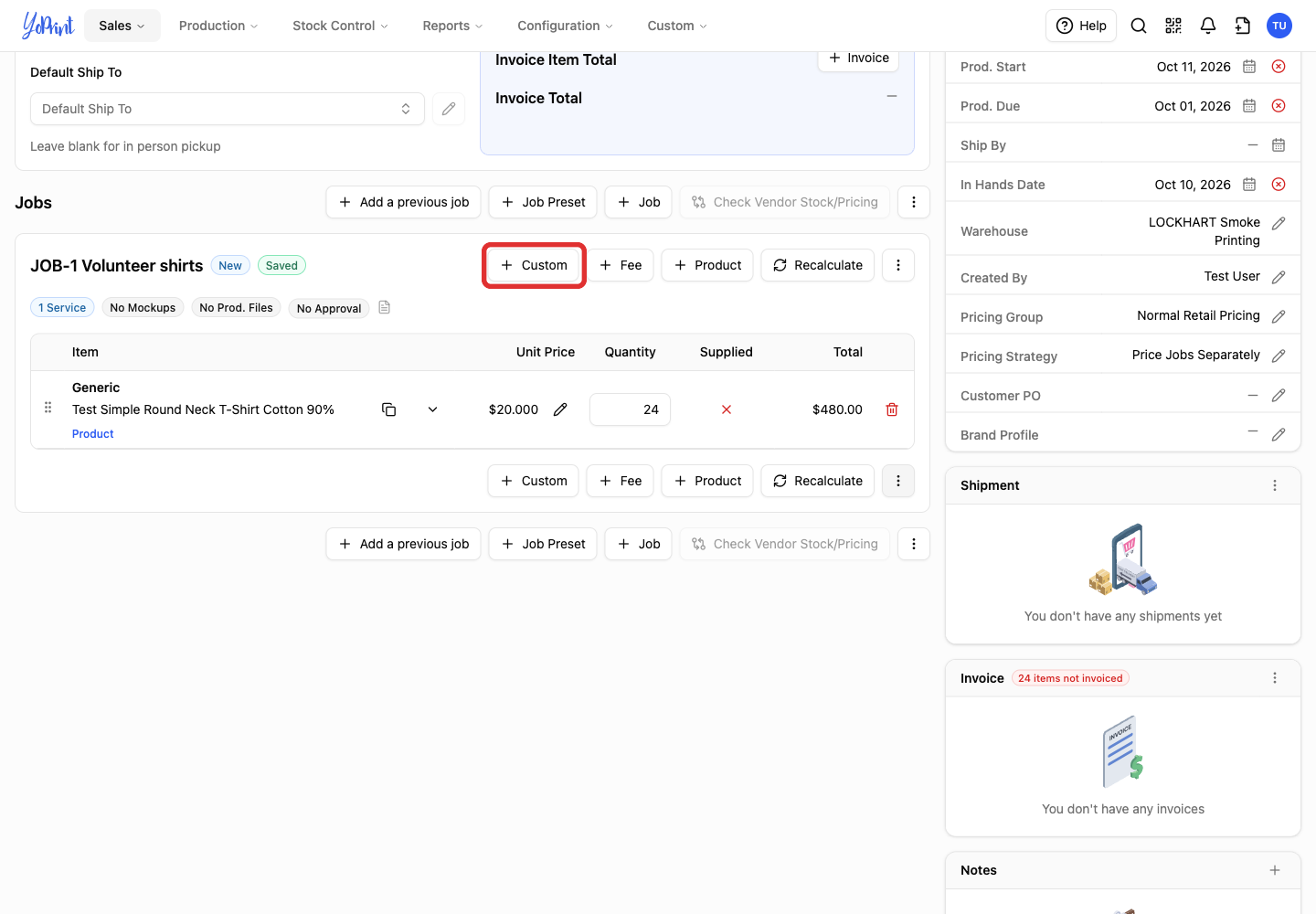
Click + Custom in the job.
-
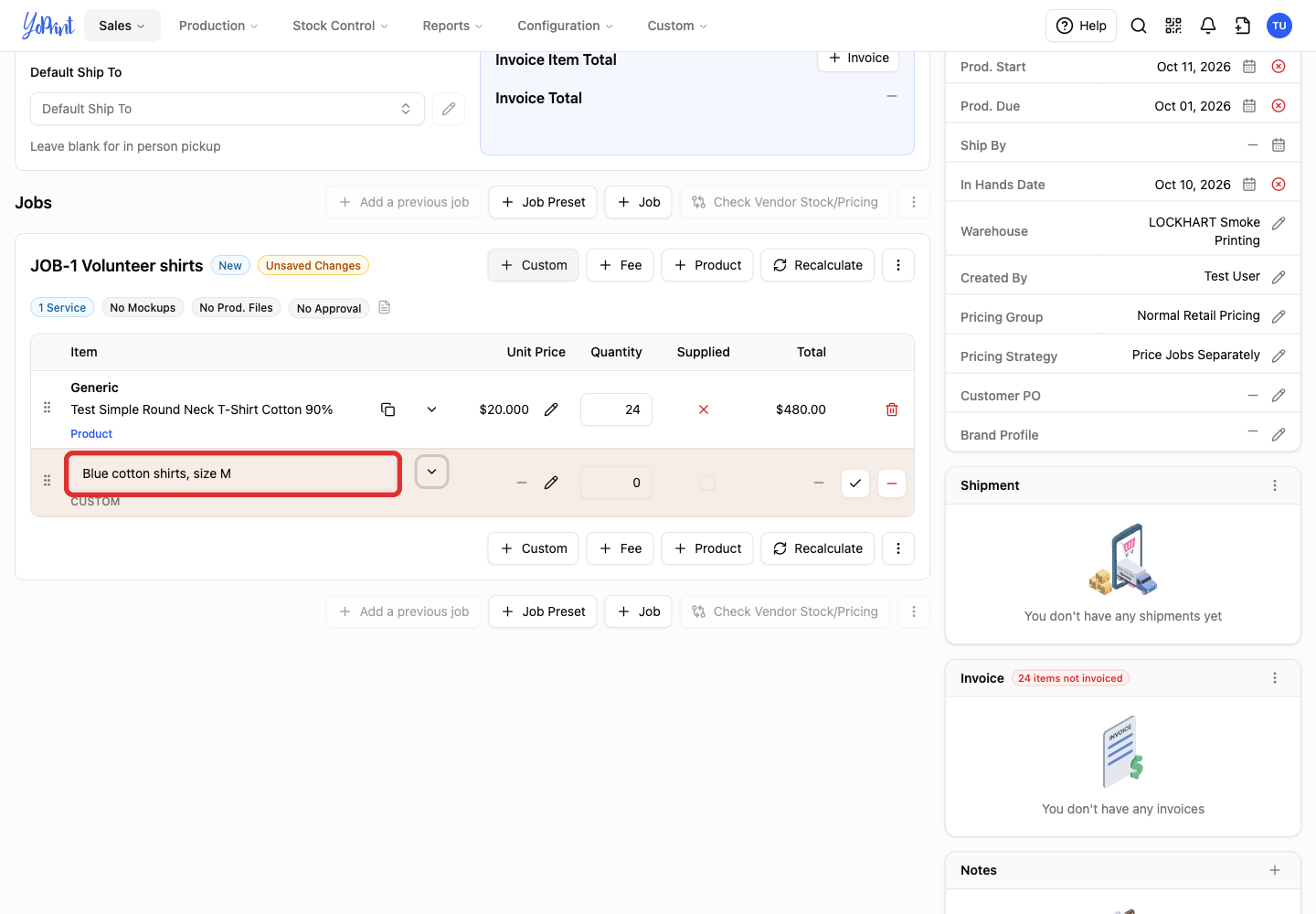
Enter a name that identifies the product. Include the color and size when they help your team tell the products apart. Custom products do not use a size grid, so enter each garment size on its own row.
-
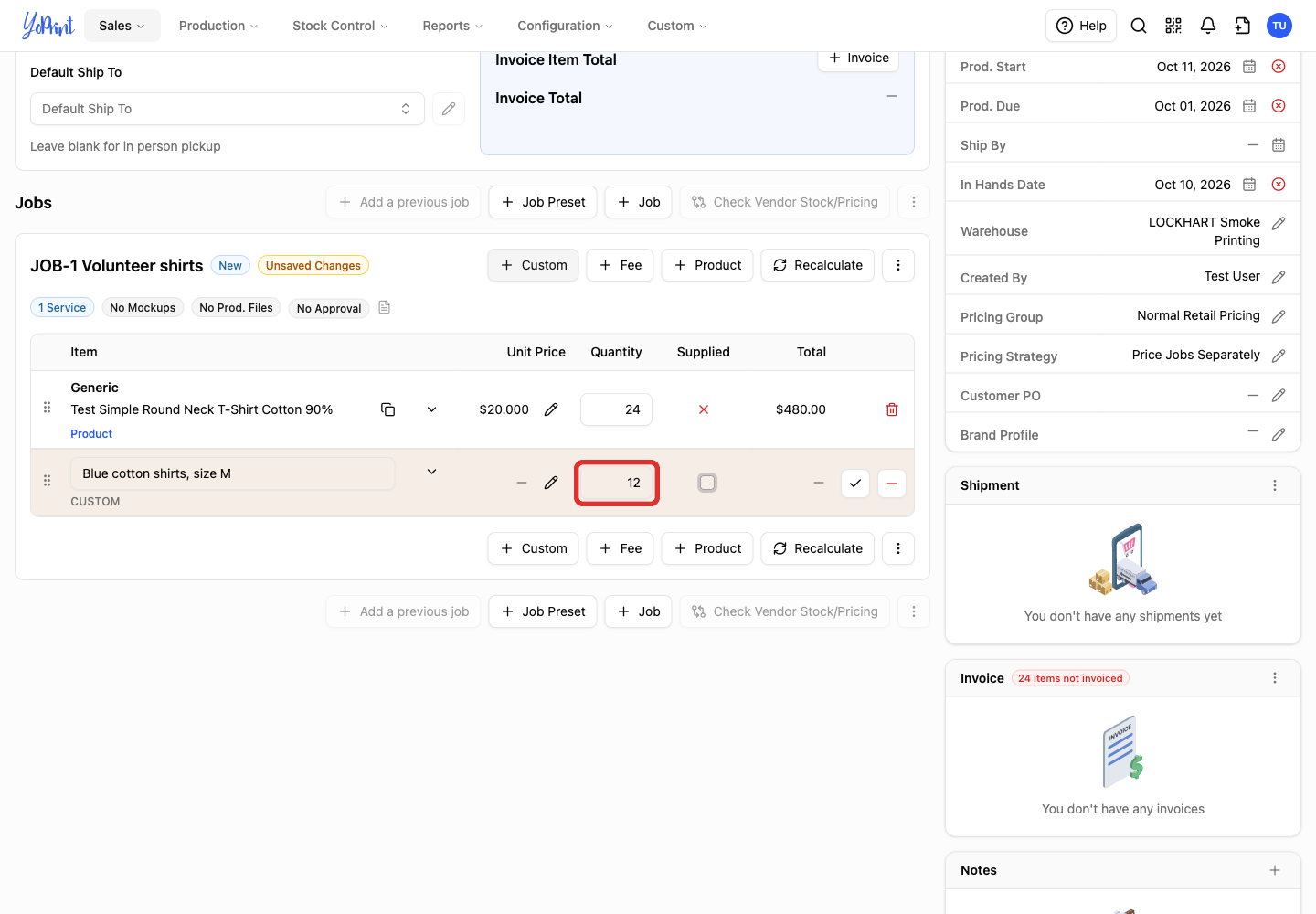
Enter the Quantity the customer is supplying.
-
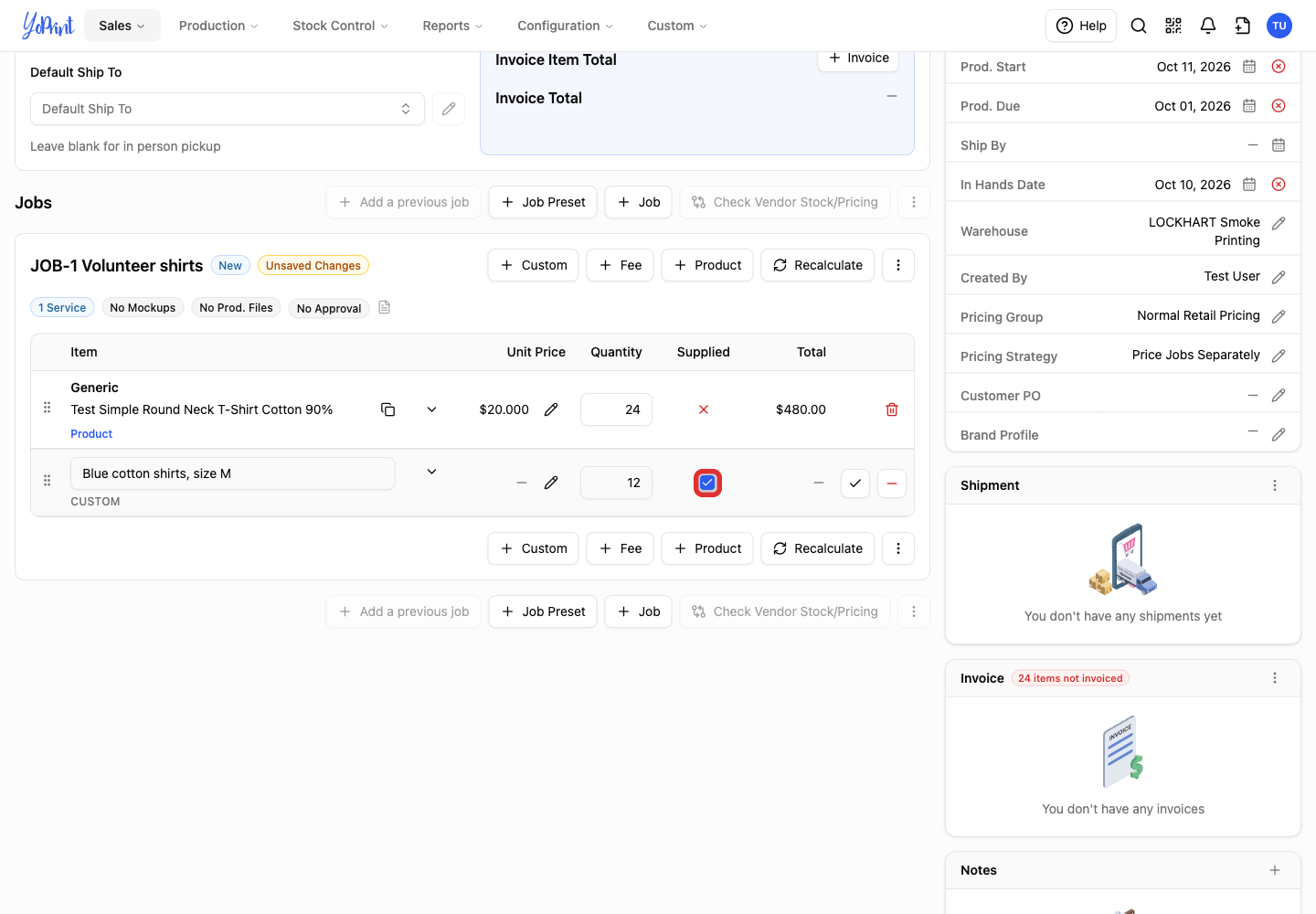
Select the checkbox in the Supplied column.
-
Click the checkmark at the end of the row to confirm it. Wait for the job to show Saved.
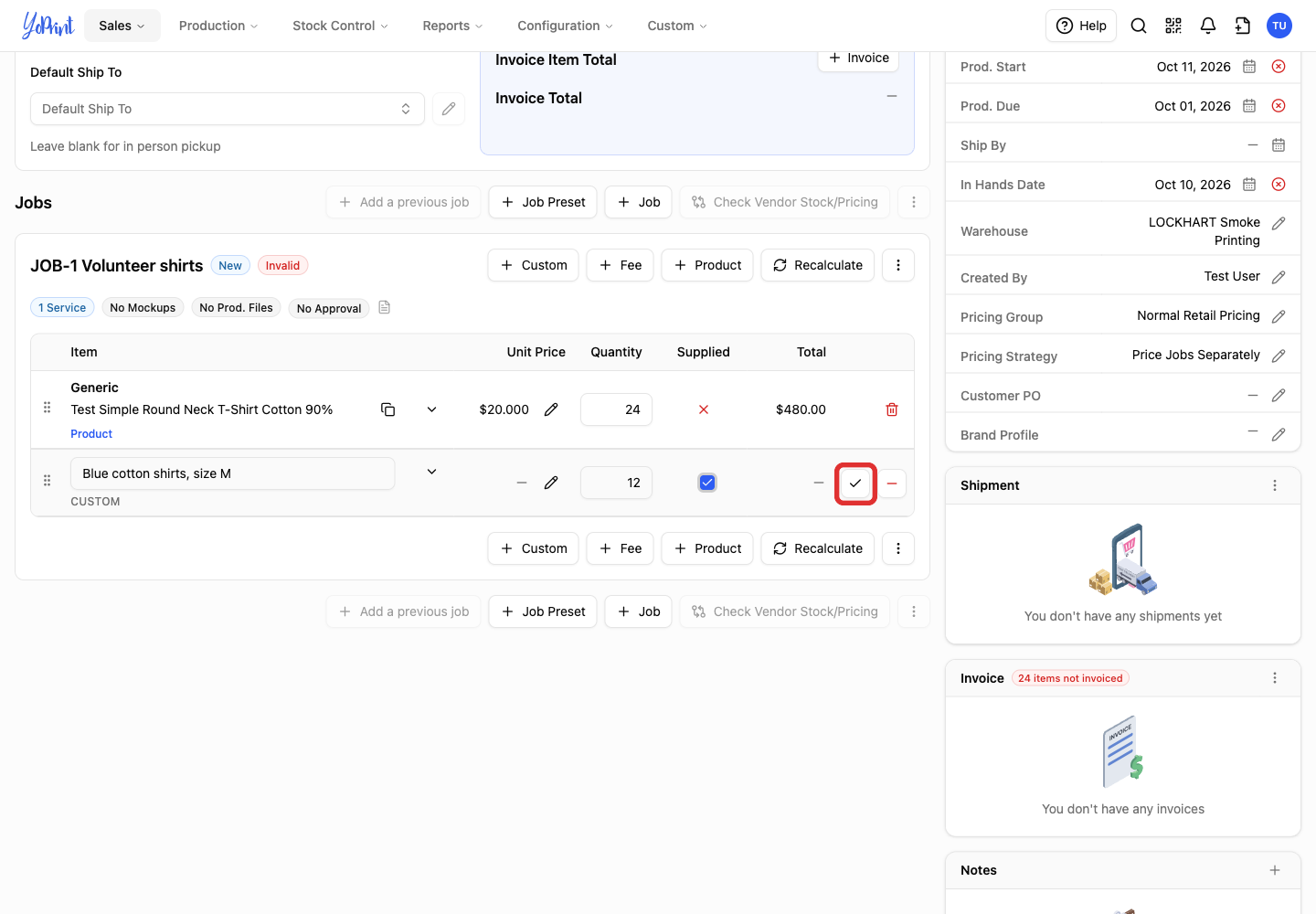
The Supplied column now shows a green checkmark. To add another size, click Copy on the row or add another custom row.
Check the price
-
Hover over the Unit Price to see the pricing breakdown. The product price is $0; the service price comes from the job's services and pricing settings.
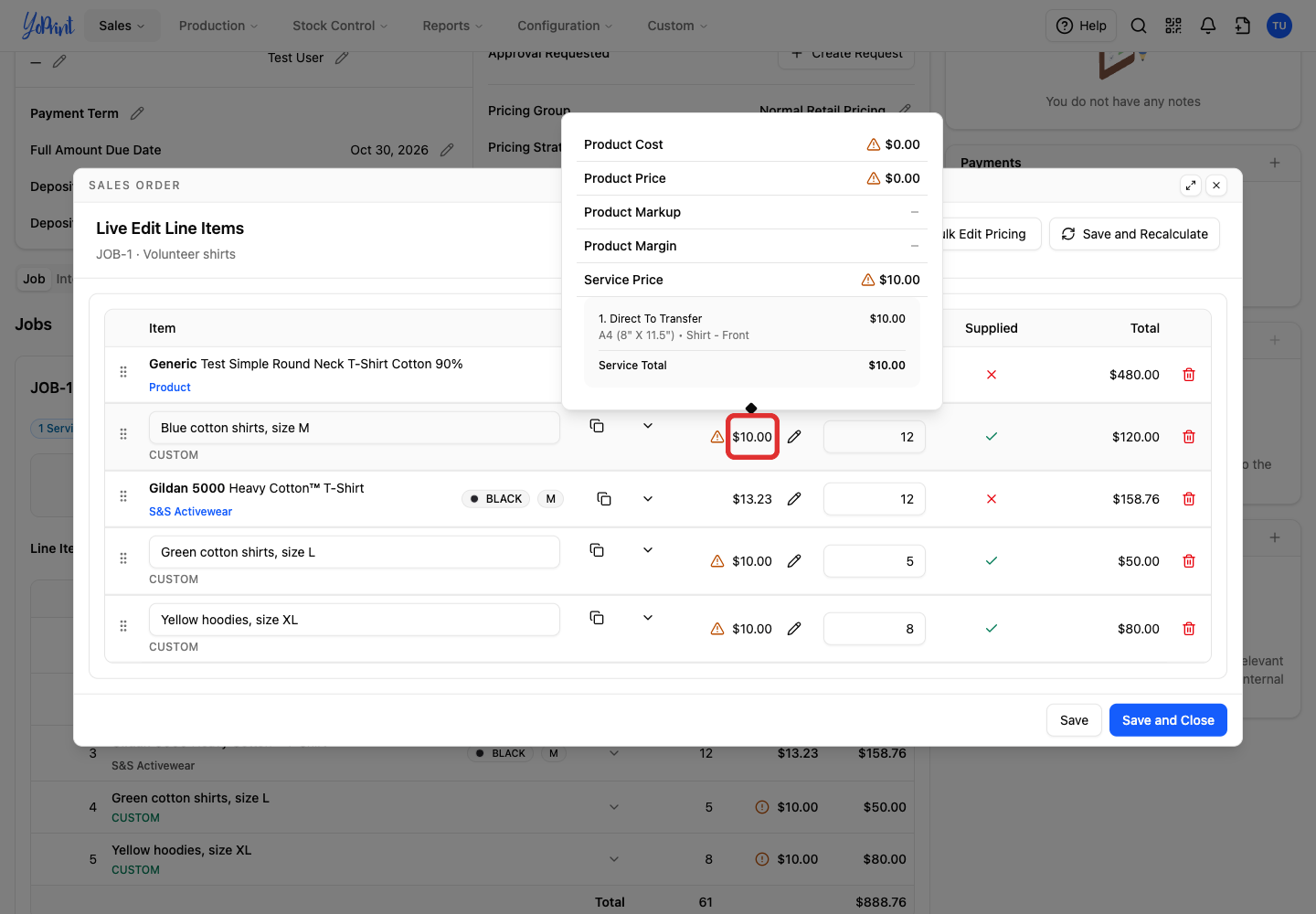
A warning icon beside the price indicates that the product price is overridden to $0. In this example, 12 supplied shirts at a $10 service price total $120. To charge a different amount, follow Override Line Item Pricing.