What is YoPrint?
In this article
Welcome to YoPrint, the shop-management software built specifically for custom print shops. You can bring your quotes, purchasing, production, and customer communication together in one organized place. Instead of juggling spreadsheets, paper notes, and scattered emails, you manage quotes, orders, production, stock, the portal, and reports from a single system.
Every order connects the products you are printing with the tasks, artwork approvals, invoices, and messages that go with them. Your whole team shares one clear view of the work, so everyone knows what to make, who is working on it, and what is due next.
Want to see how it all comes together? Here is YoPrint's introduction video:
Create quotes with pricing and taxes
Give your customers clear, accurate quotes without relying on spreadsheets or manual calculators. You can price jobs quickly and send professional estimates that help you win more work.
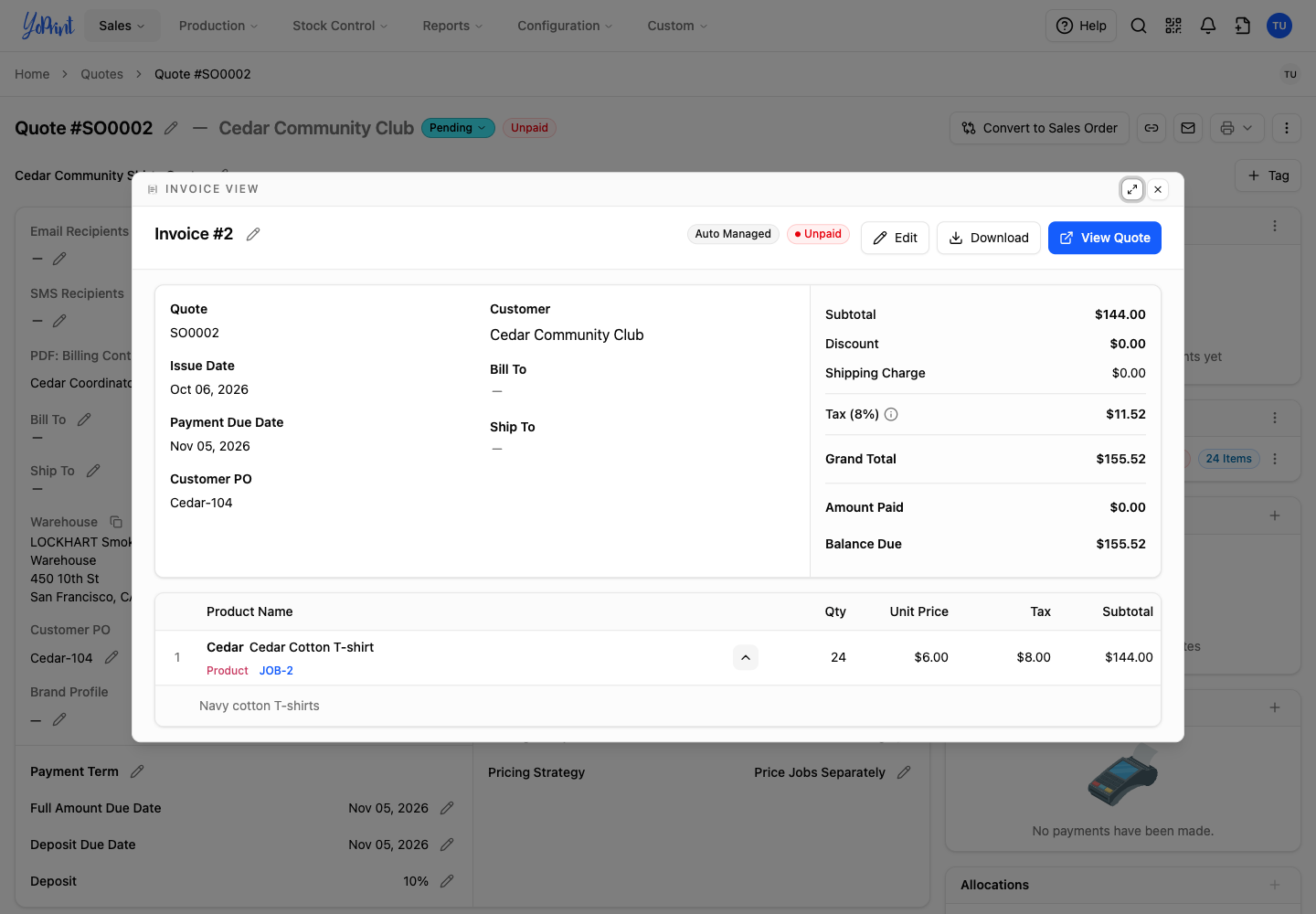
You build a quote with your products, quantities, and prices. YoPrint calculates the totals automatically, applies the tax you select, and keeps the complete price breakdown alongside the customer's quote. Here, the quote's invoice shows the shirts, unit price, tax, and total together.
Check live vendor pricing
Protect your margins by checking blank costs before you quote a customer. You can check live pricing for connected suppliers instead of searching separate supplier websites.
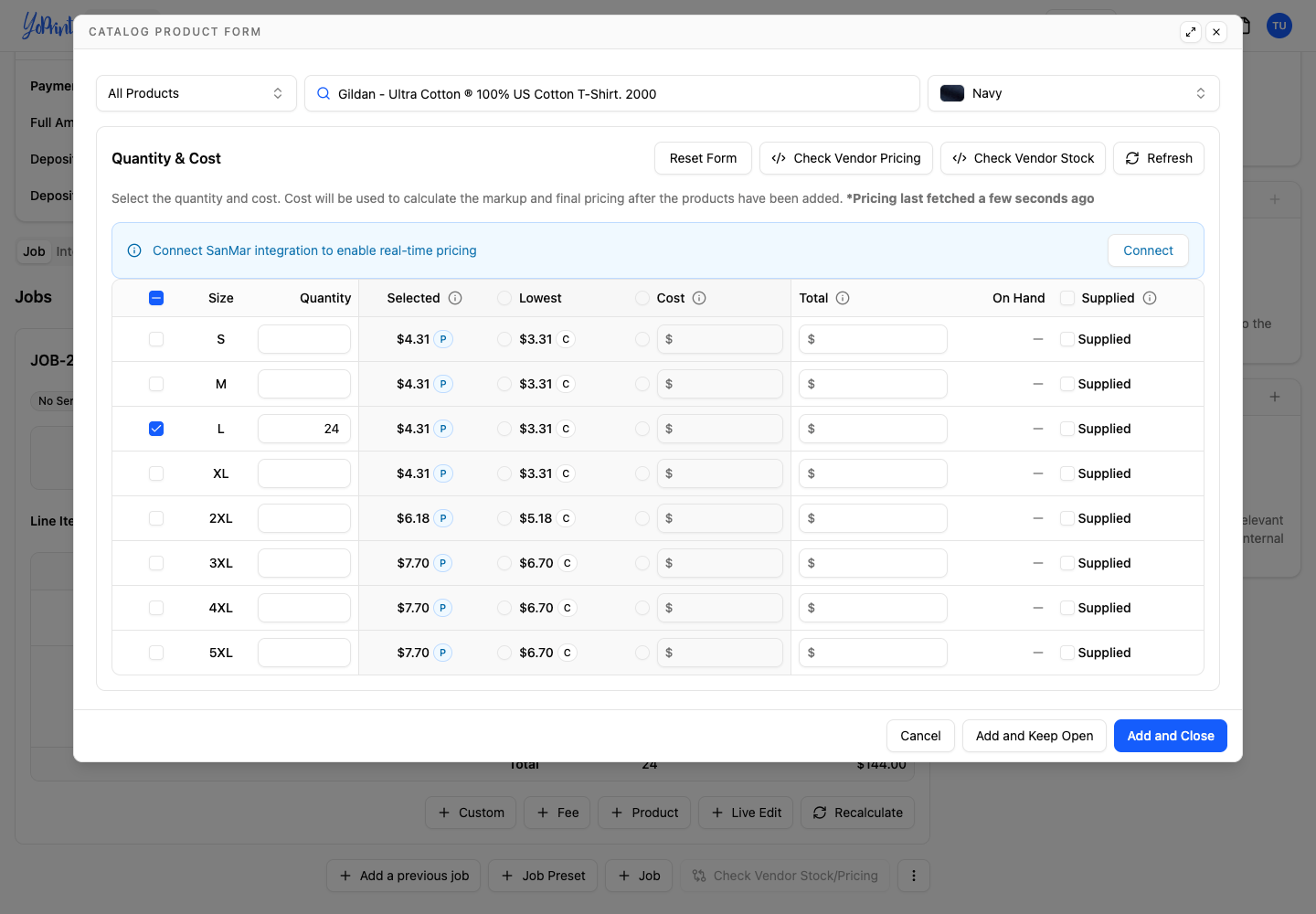
Check vendor pricing while choosing products for a quote. The catalog product form brings sizes, quantities, and costs together, with Check Vendor Pricing available in the same window. Connect your vendor account to use real-time pricing; How to See Accurate Vendor Pricing walks you through the connection.
Manage inventory and purchasing
Keep your shop stocked and jobs moving without guessing what materials have arrived. You always know what blanks you need to order and what has reached your receiving area.
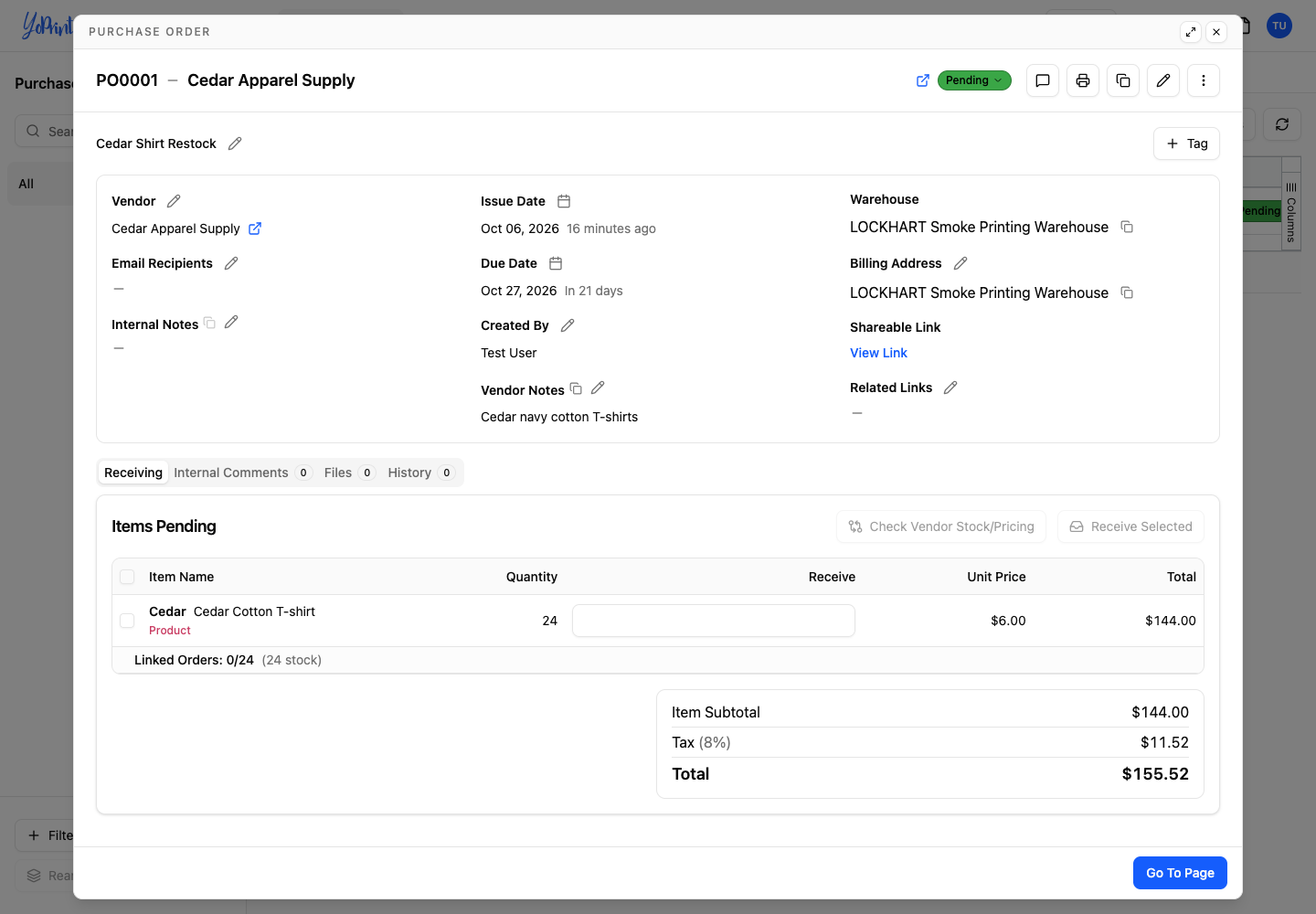
Create purchase orders for supplies and share them with your vendors. Keep the vendor, quantities, costs, and receiving status together in one place, so you can track what has arrived and what is still pending. A purchase order can supply an order or replenish stock, as the Cedar shirt restock below shows.
Track production and tasks
Keep your production floor running smoothly with clear visibility into every order. Your entire team stays aligned with dates, owners, and status visible across every job.
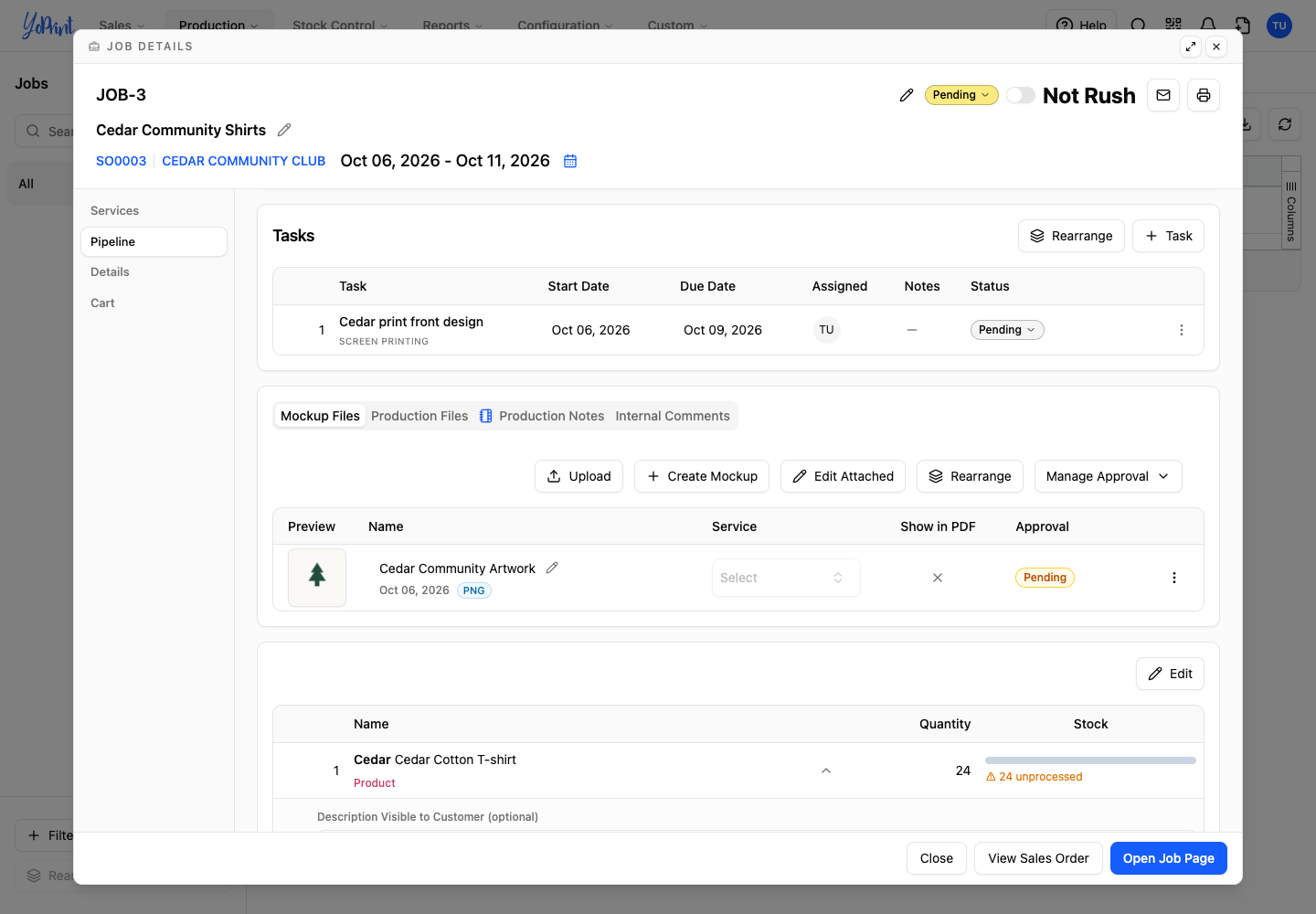
Keep the work for an order together in jobs, then assign tasks to your team. Each task shows its start date, due date, assignee, and status, so you can see who is doing the work and what is due next. The Cedar shirt job has a screen-printing task linked to the customer's order.
Give customers their own portal
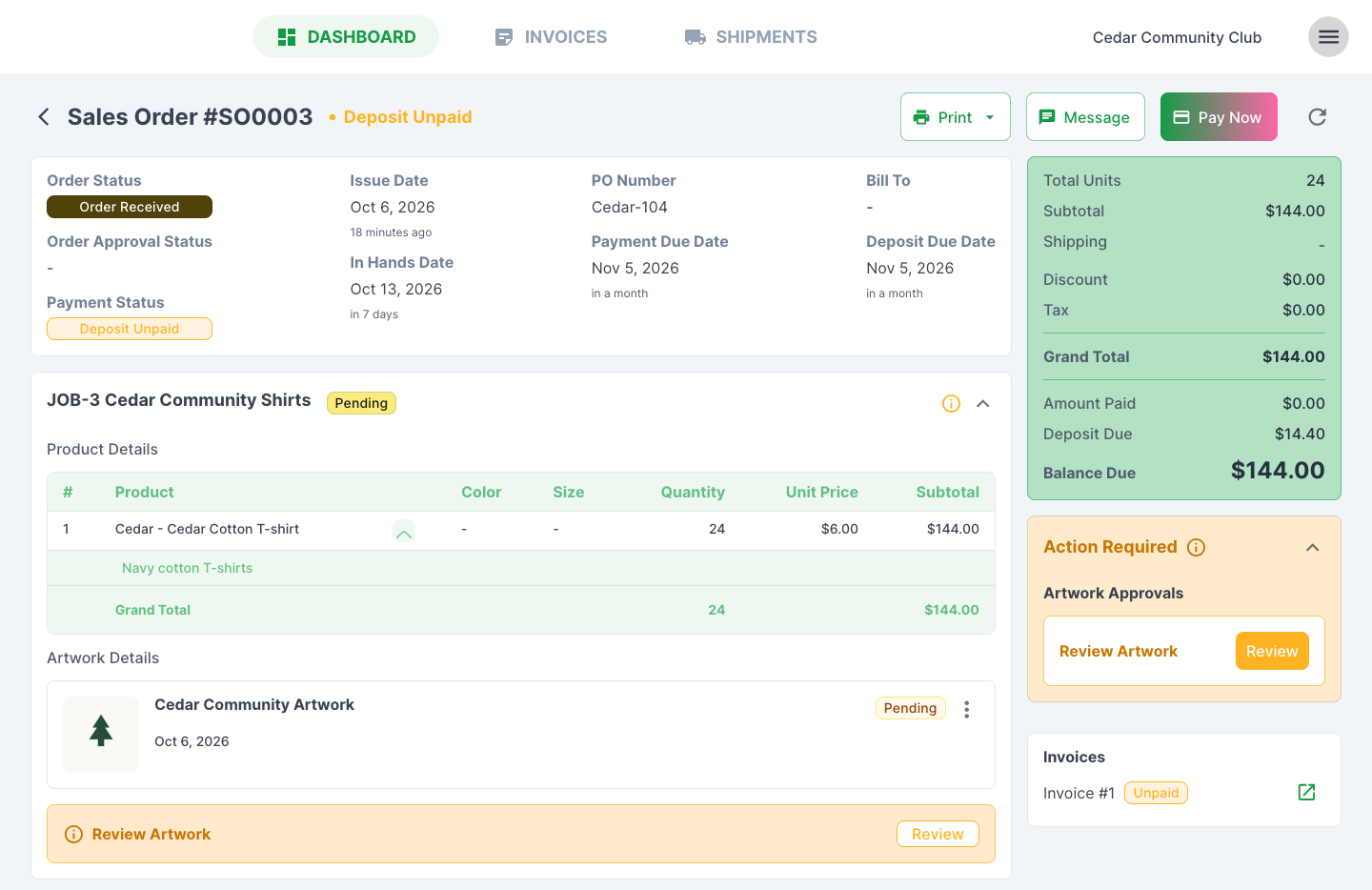
Deliver a smooth, professional experience for your customers with a portal that lets them view orders, approve artwork, pay, and message your shop. Your clients can review their orders, approve artwork proofs, and pay invoices online anytime, without phone tag or missed emails.
Give customers a place to view their orders, approve artwork, and message your shop. The customer portal brings the order details, artwork, invoices, and conversation together. When you've connected an online payment gateway, the order has a balance due, and the customer has online-payment permission, customers can pay through Pay Now. See Customer Portal for the customer walkthrough.
See your shop's numbers
Make confident business decisions with clear visibility into your shop's performance. You can track your sales, review financial totals, and see how your business is doing without exporting data to external spreadsheets.
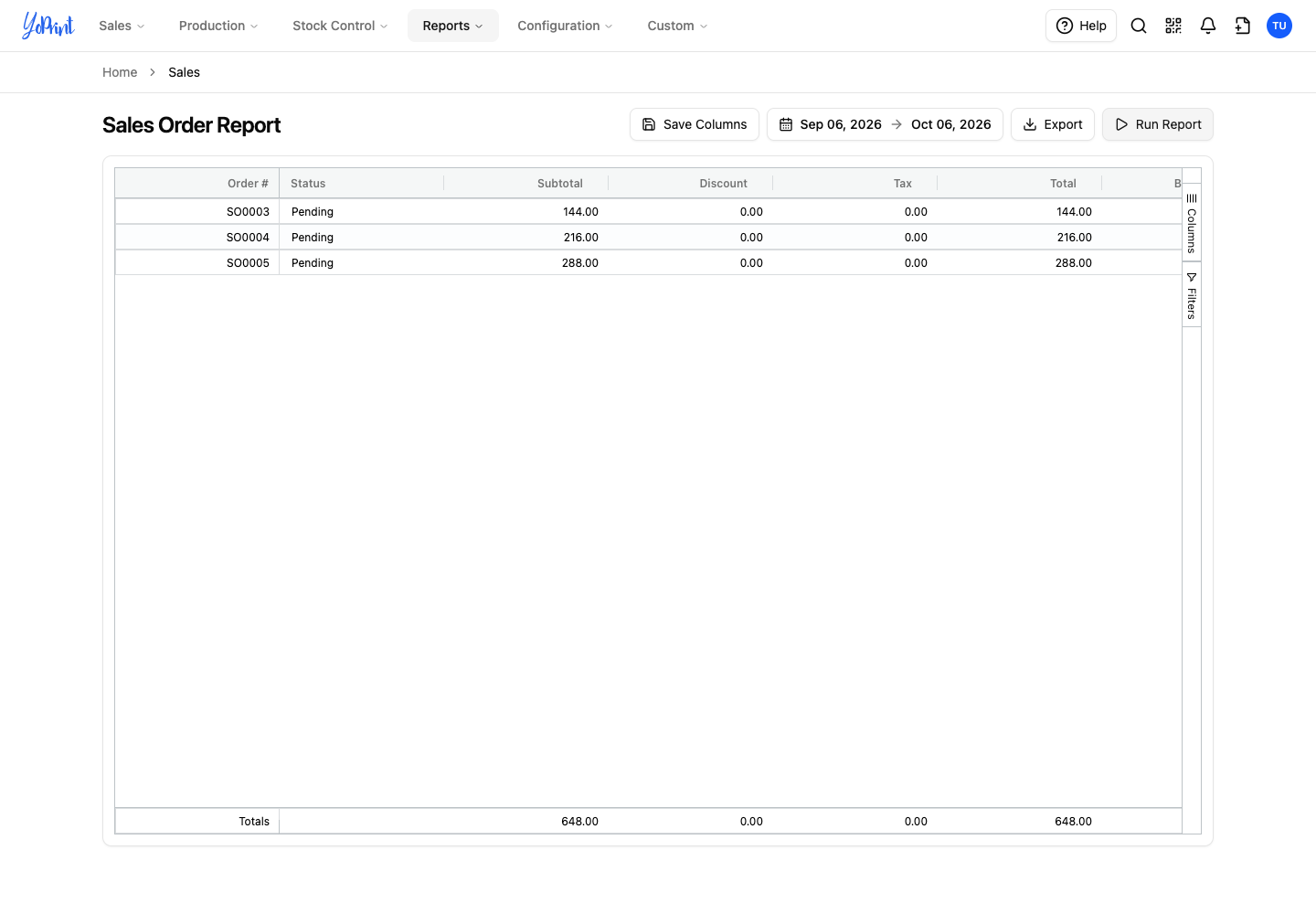
Use built-in reports for quotes, sales orders, invoices, payments, and taxes. Choose a date range to review the records and totals for that period. The Sales Order Report below shows the Cedar order's status, subtotal, discount, and tax.
Find your way around
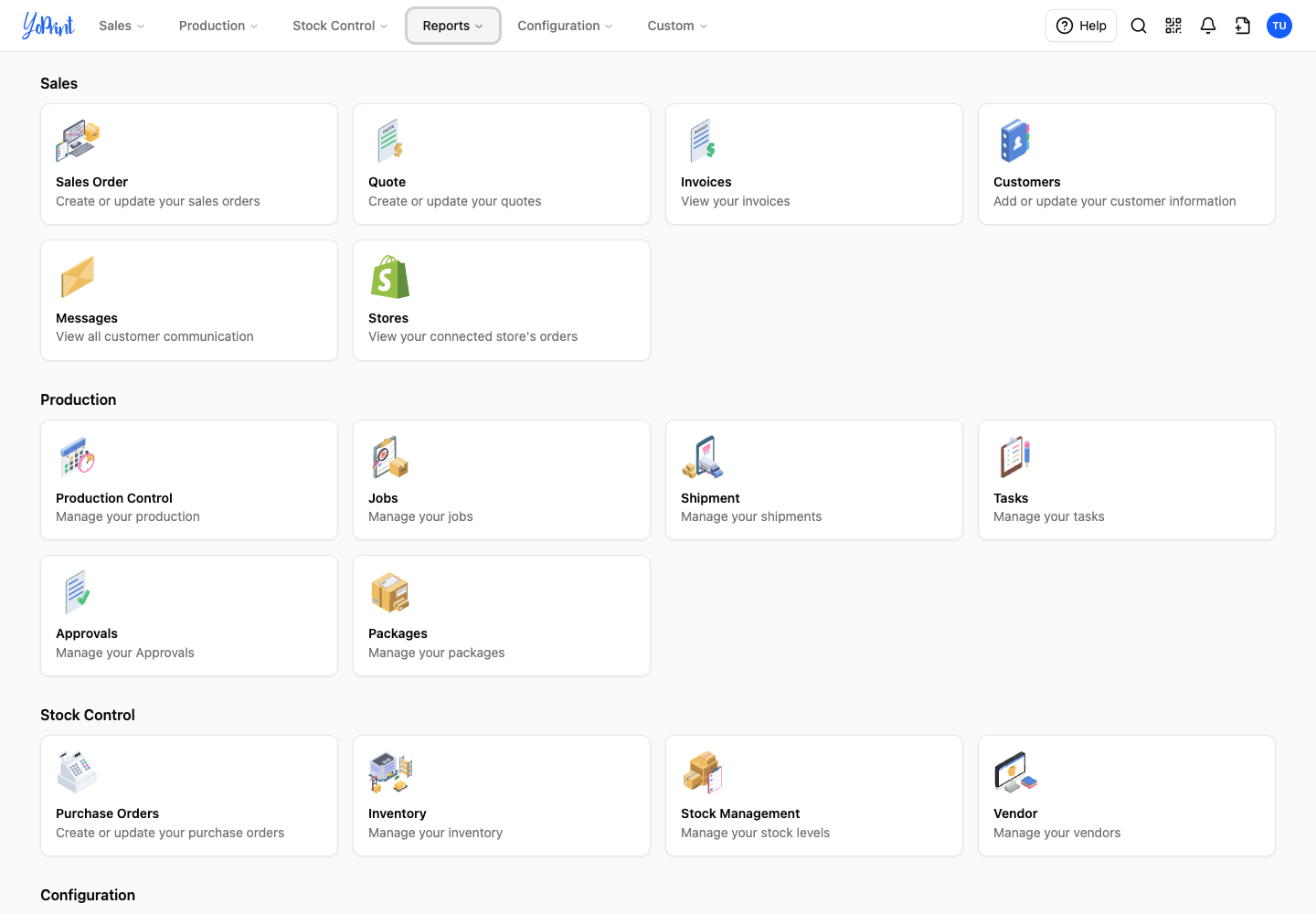
Your dashboard is the starting point for Sales, Production, Stock Control, and Configuration. It gives you a clean, organized view of your active shop operations so you always know where to look.
Use the cards to jump straight into the work you need, from active quotes and jobs to inventory and shop settings. For a closer look, see Navigate the Main Dashboard in YoPrint.
Ready to get your shop set up? Start with the Overview, then follow Setting Up Your Account for company details, locations, team access, and payment options.